Rydr
Case Study / June 1, 2026
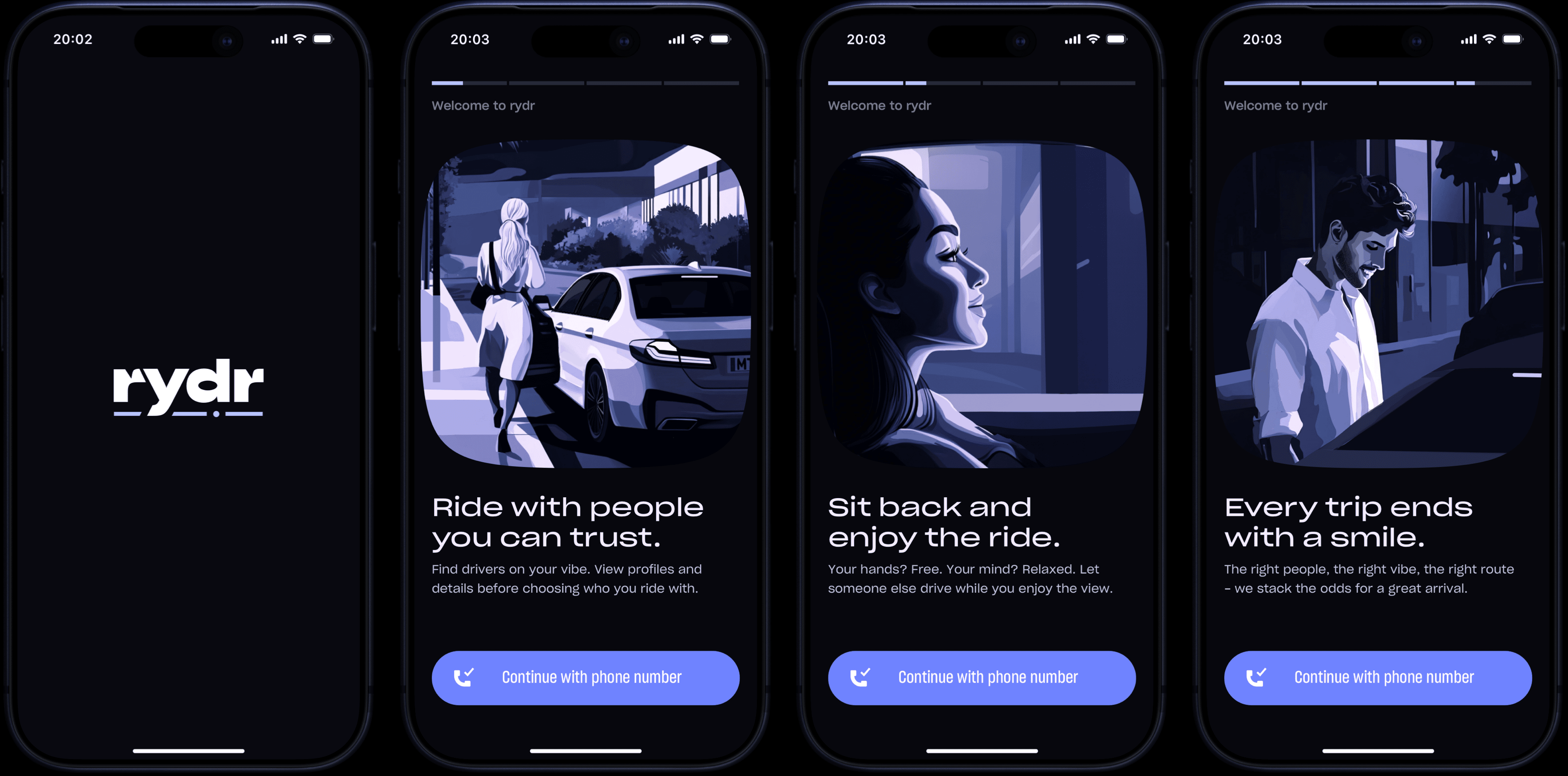
Rydr is a ride sharing app designed to transform mundane trips from A to B into more pleasant and personalized experiences. Unlike conventional apps that prioritize speed and price above all else, Rydr places human connection at the core of every ride.
This app is built on a fundamentally different approach: ride sharing based on genuine human compatibility between driver and passenger. By discreetly integrating AI along with many innovative features, it addresses some of the common frustrations of today's users: frequent cancellations, unprofessional and inadequate drivers, cold and impersonal rides, and mediocre experiences that rarely leave a positive lasting impression.
02
Getting to know you
Right after registration, users complete a short 8 question personality test designed to help the app understand them better. Inspired by established personality models, the questions are grouped into key categories like Interaction Style, Frustration Tolerance, Environmental Preferences and many more.
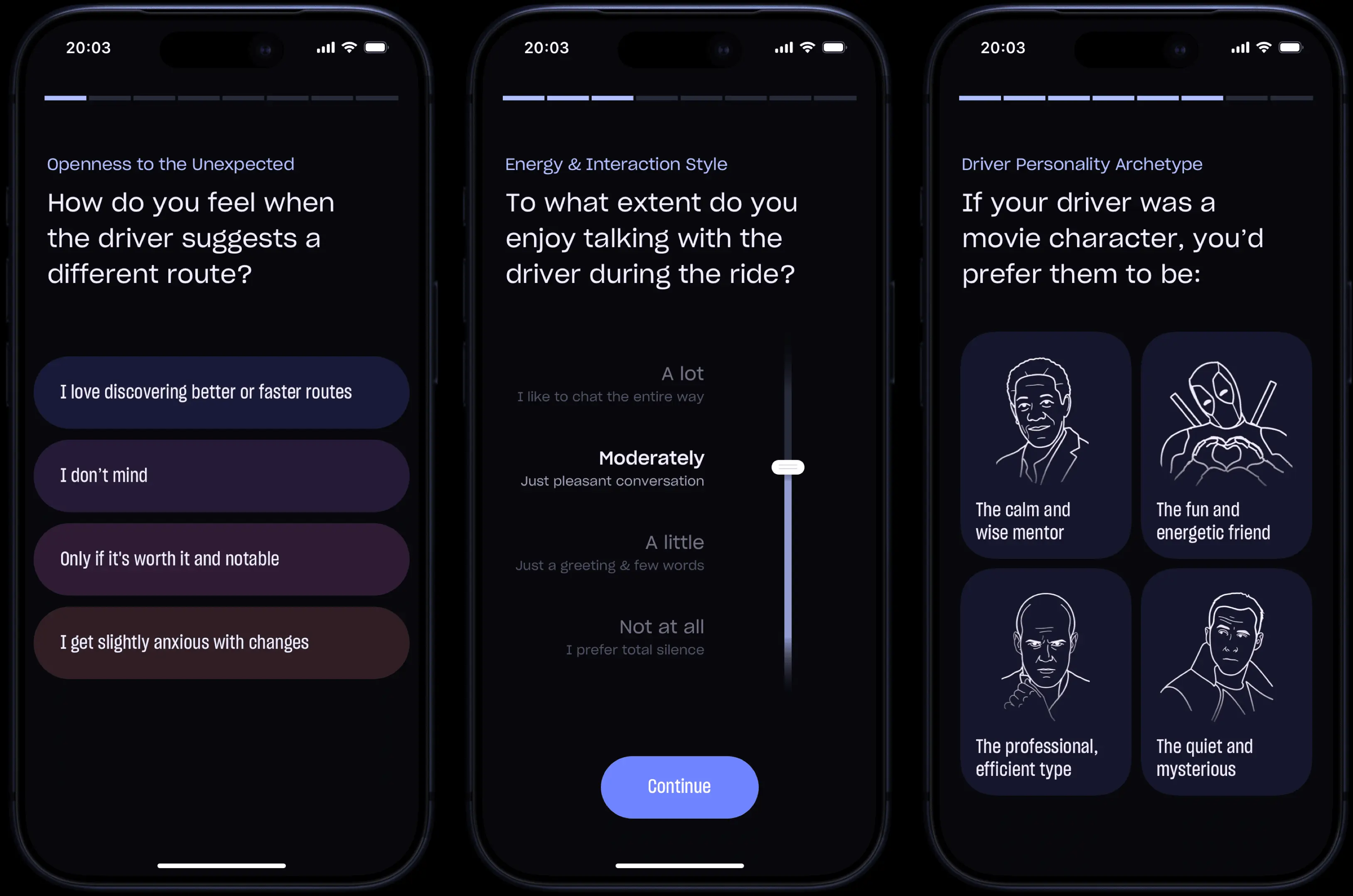
By creating an initial psychological profile, the app enables more accurate driver matching while making users feel genuinely seen and understood from the very start. The initial answers serve only as a starting point, as the AI continues to learn from users' behavior over time. The entire process is kept quick and engaging to avoid any frustration.
03
Homescreen
The Homescreen is the most important and most used screen in the entire app. Being the starting point for the entire user experience, it was designed to be both highly enticing and logically structured.
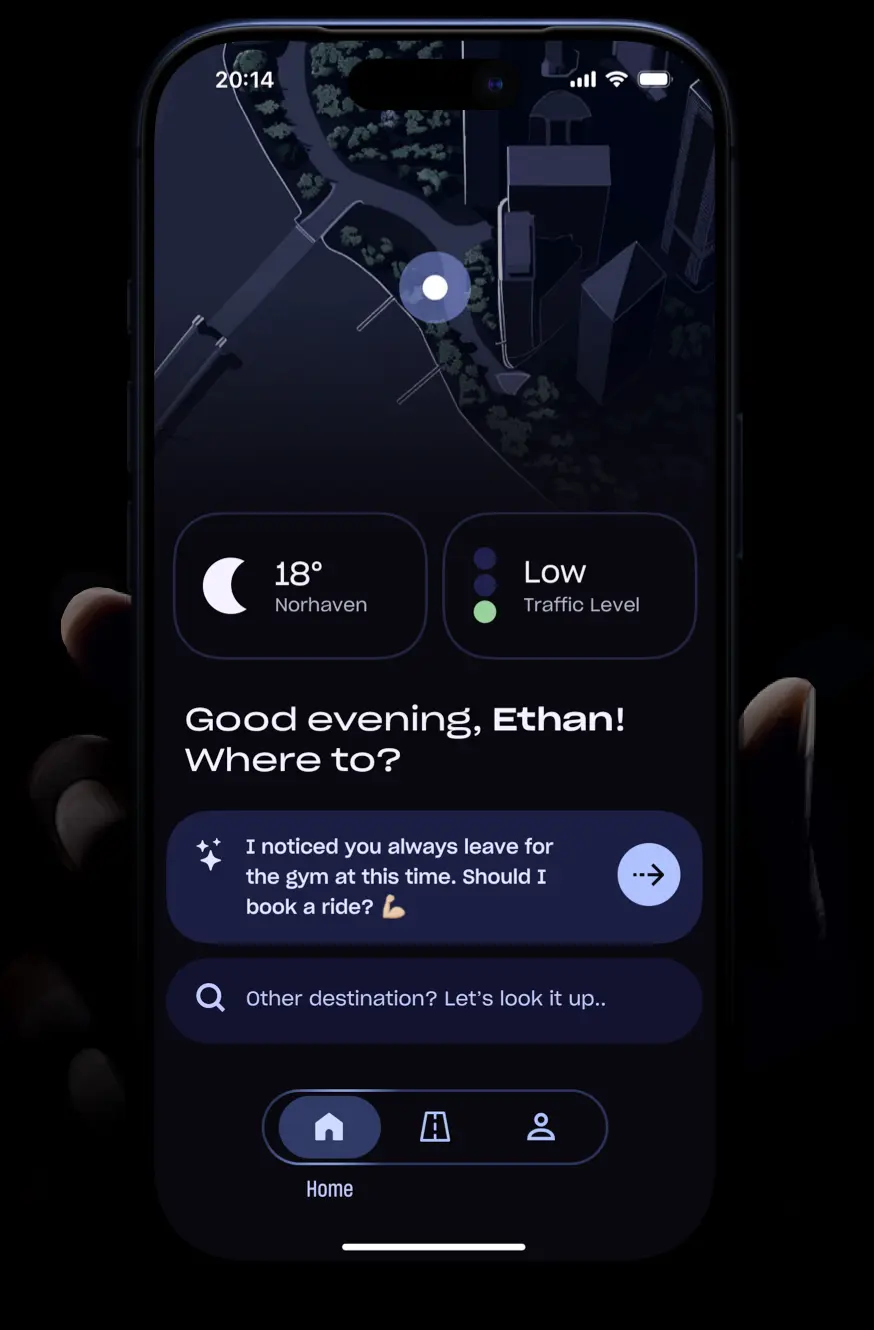
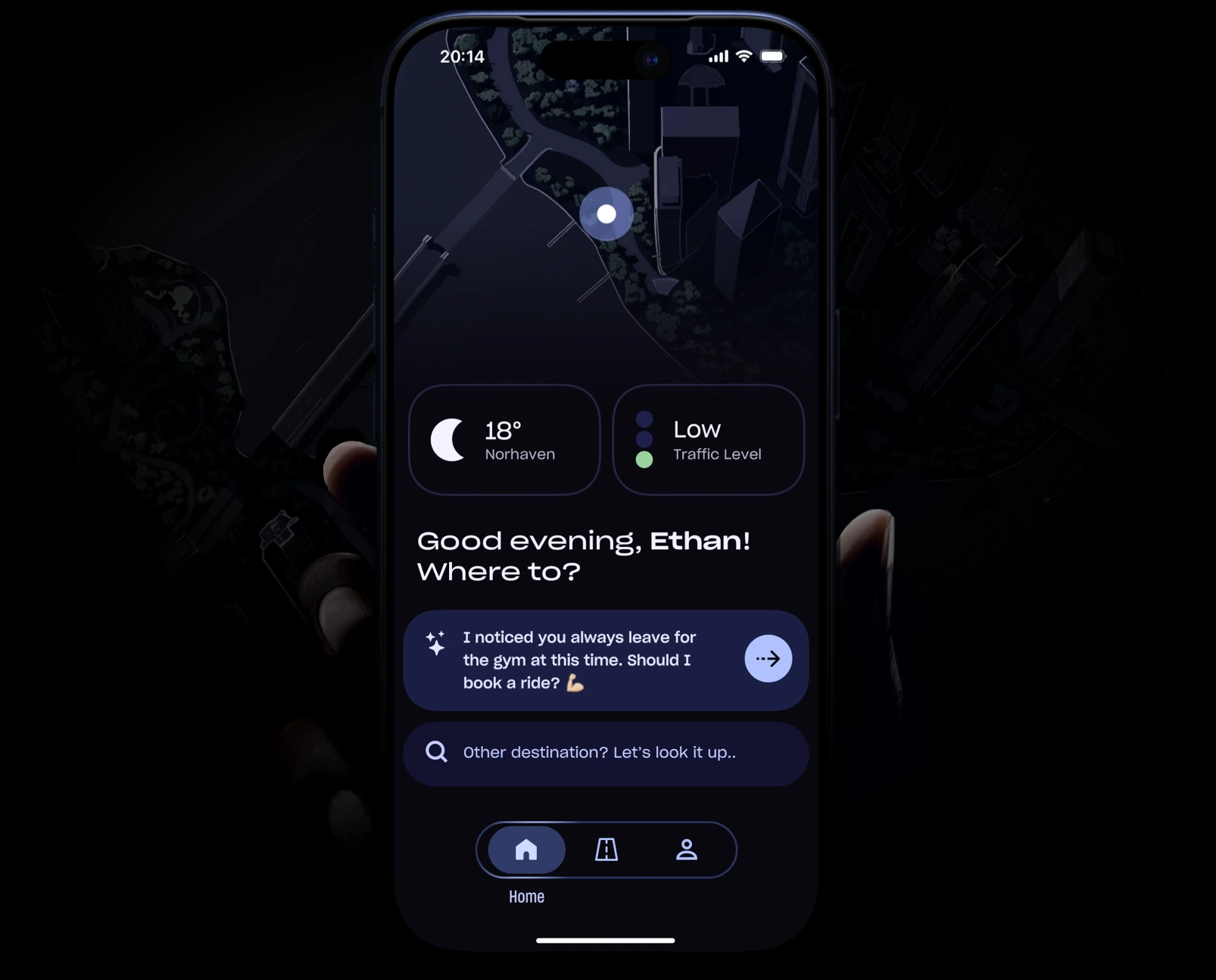
User location is displayed in an immersive view powered by 3D mapping, the first of several instances throughout the app where this method is used.
Real-time weather information and current traffic conditions, helping users set realistic expectations for their ride. At the bottom, a subtle AI suggestion recommends the most likely destination based o the rider's past patterns.
04
Searching
Pressing the search bar in the home screen triggers a full-screen overlay, within which all search functionalities are displayed.
4.1 Simple Search
This section features a clean, intuitive design with familiar interaction patterns, where all locations are presented among high-quality photos, sourced from public repositories.
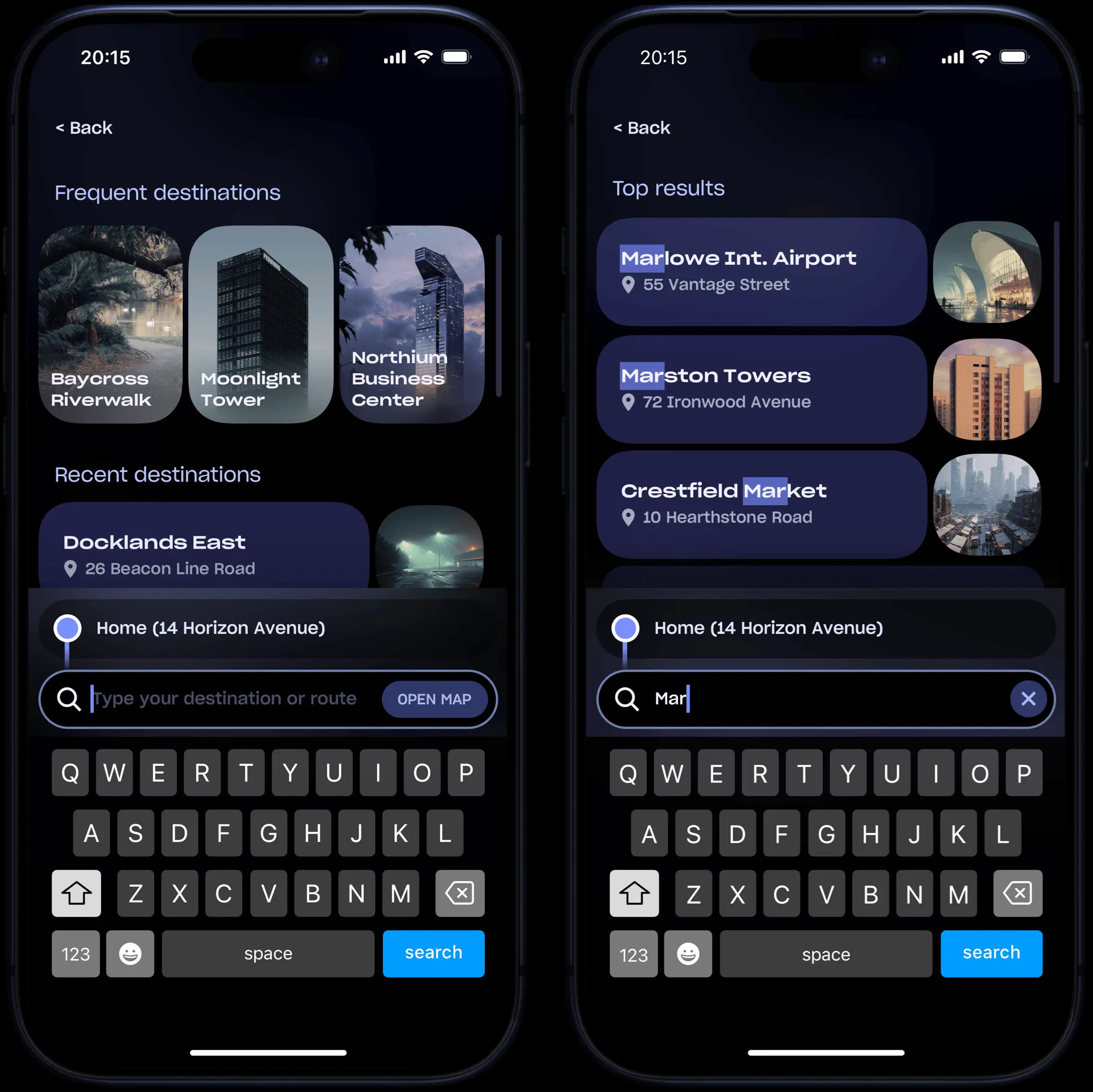
The screen is clearly organized, with the user's most frequent destinations at the top, recent ones in the center, and the current location with a manual input field at the bottom. As soon as one starts typing, results appear instantly and update in real time.
4.2 Prompt to Search

Another key feature of Rydr is the natural language processing. Instead of entering precise addresses, people can simply describe their intentions by using everyday sentences. AI will analyze the input, understand the intent, and generate a suitable route.
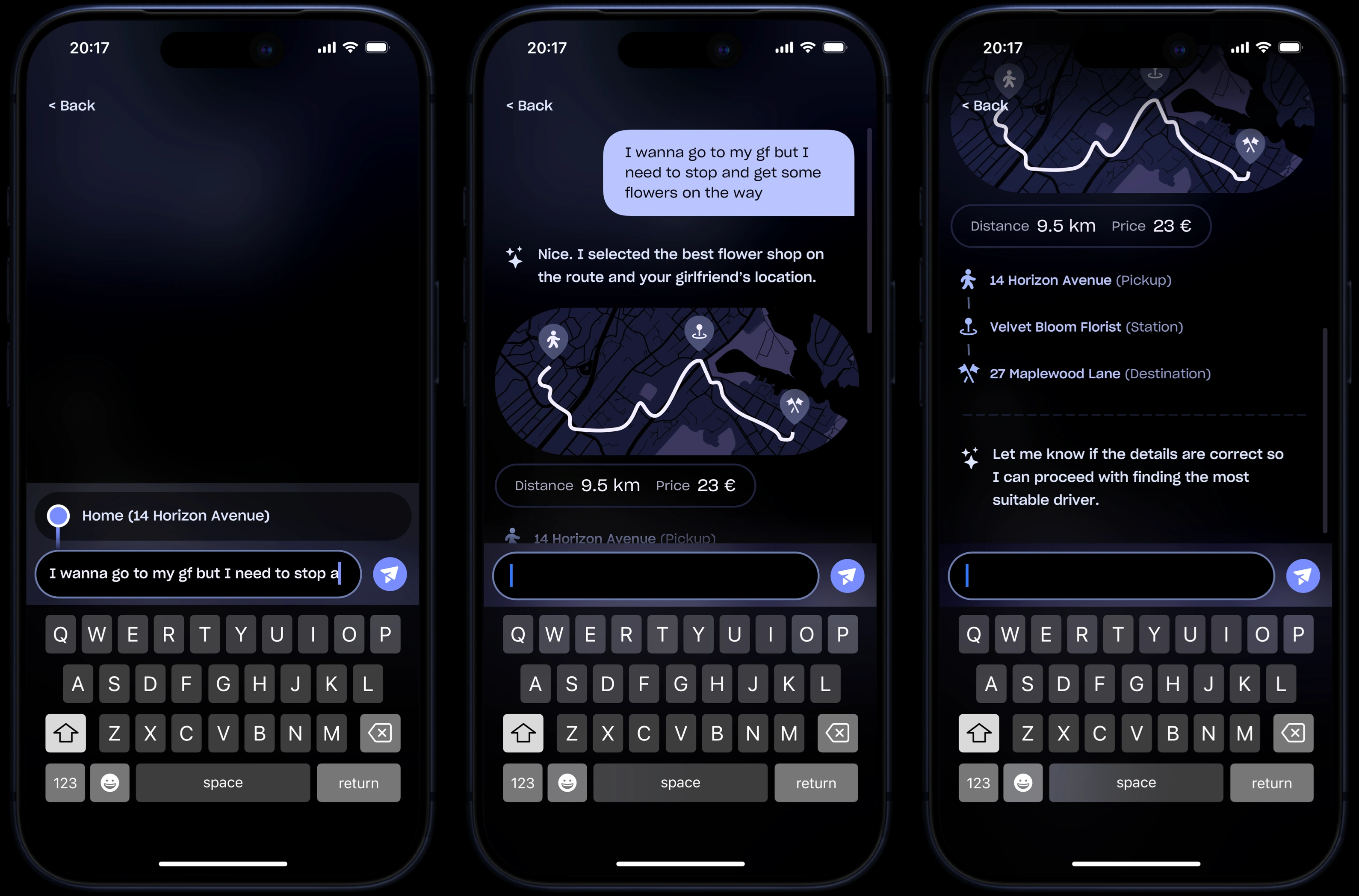
Users don't need to provide exact locations. They can also use vague expressions such as “I want to go somewhere with a lake view”. Taking their history into account, AI will interpret the request and plan the most relevant route.
05
Getting Matched
5.1 Destination Preview
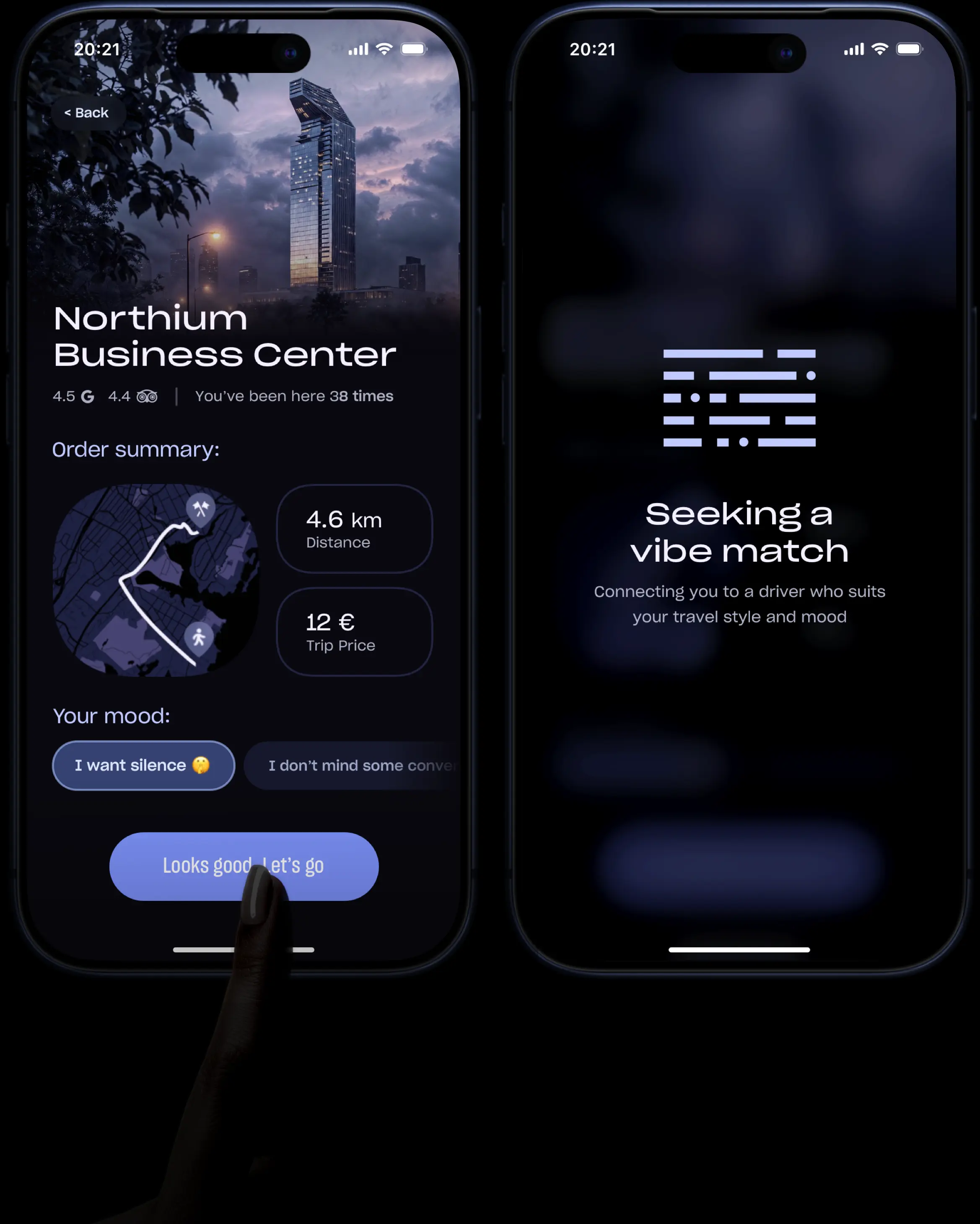
Immediately after opting for a destination, the app will display the Destination Preview screen. Organized in a very efficient way, it showcases a preview image at the top, the map, price, distance and communication prefferences, all in one screen. Everything important is here, smartly condensed, thus minimizing the number of actions required.
5.2 Driver Selection
The core functionality of the app. Driver Selection System enables users to select a compatible driver for the most enjoyable and personalized experience. They can choose the right person through three distinct methods: Shuffle, Radar, and Driveboard.
└ Shuffle
Inspired by dating apps, the Shuffle method uses AI to suggest the most compatible driver based on passenger's profile and past selections. The system takes into account multiple factors, such as personality compatibility, but also real-time distance and ETA.
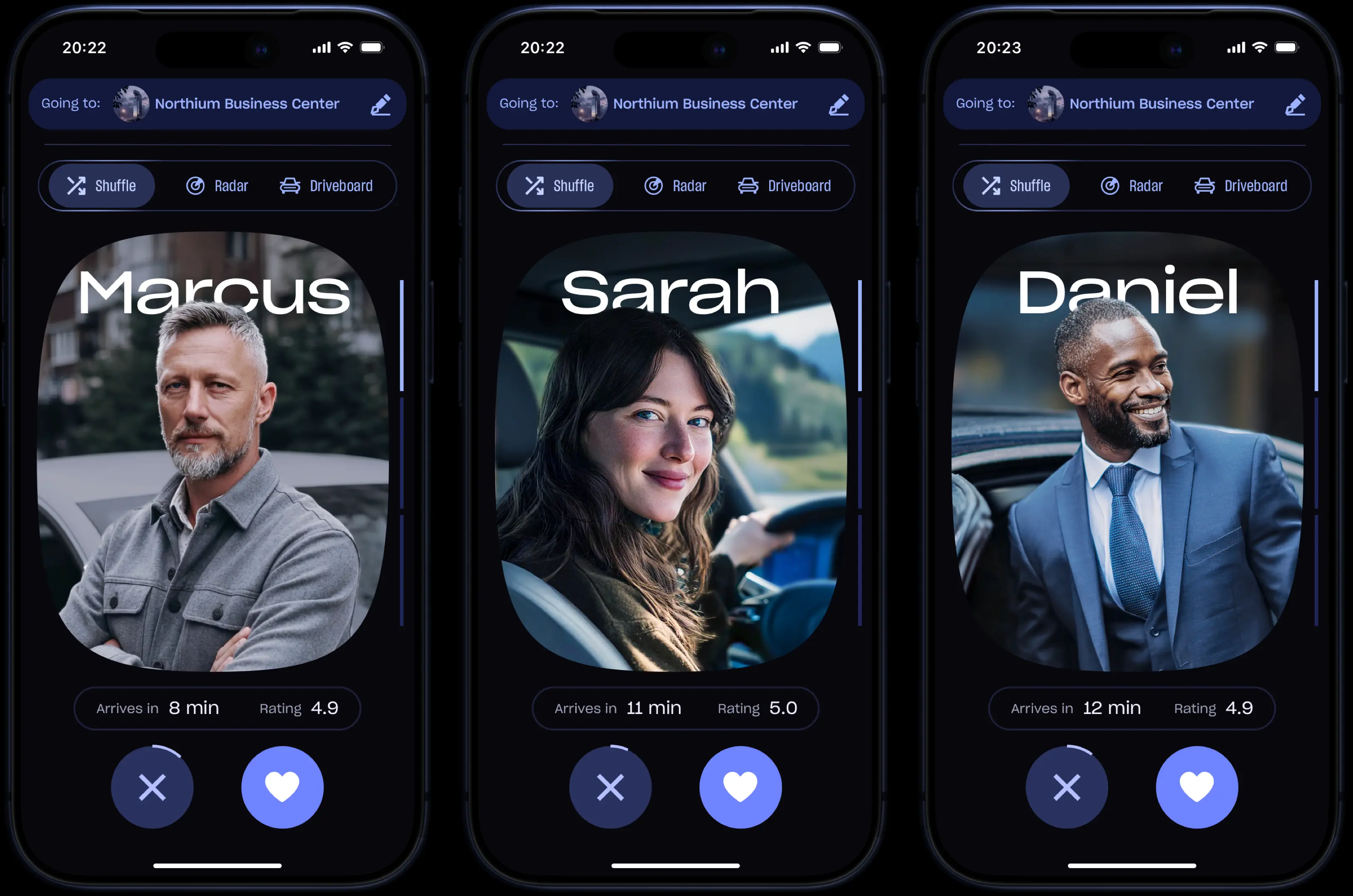
At the bottom, a timer automatically presents the next driver if no decision is made within a reasonable time. During the whole process, the destination can be changed at any moment, by pressing the button at top of the screen.
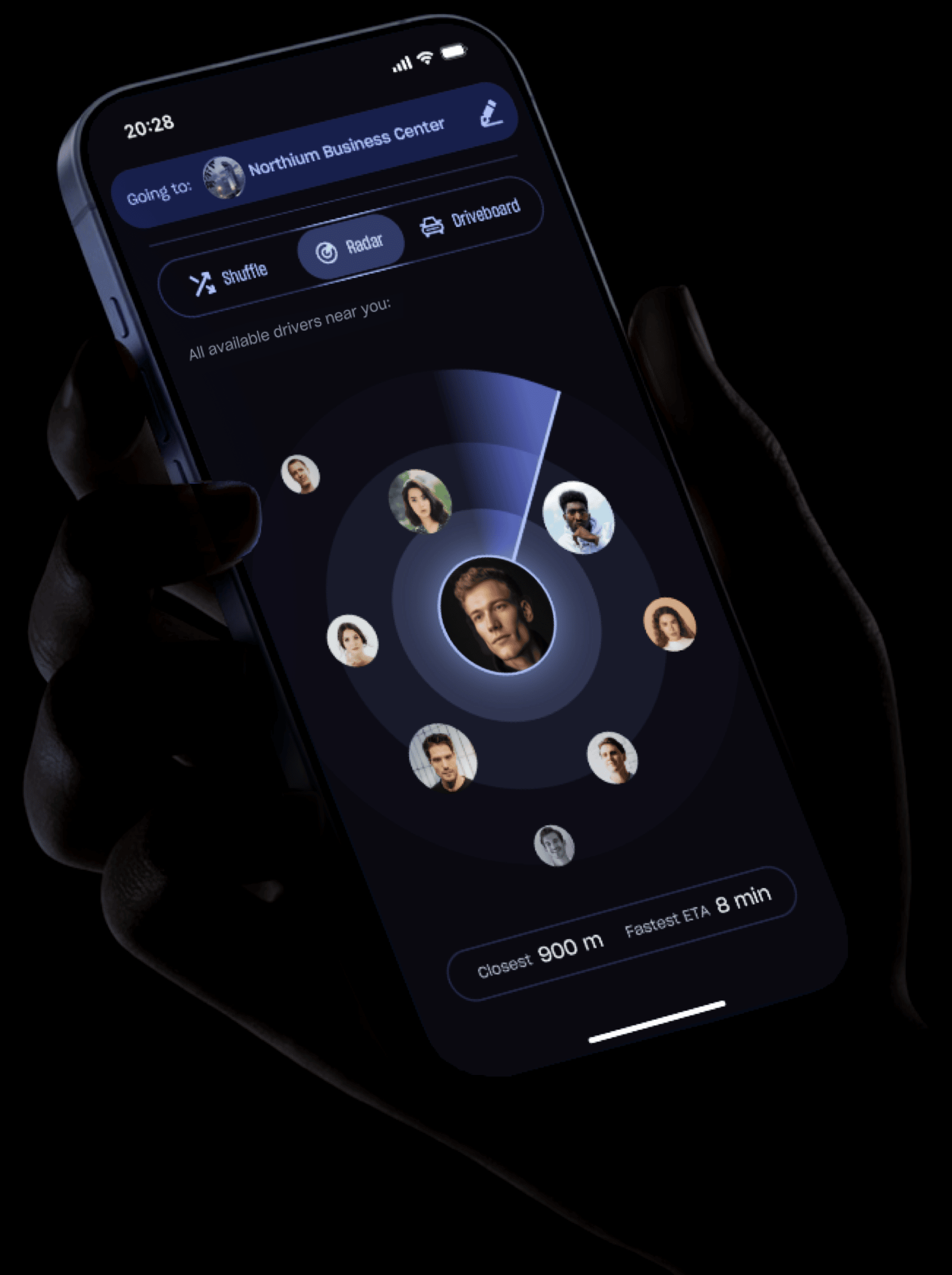
└ Radar
Users can also see all available drivers around them. Radar ignores compatibility factors and prioritizes proximity, allowing people to quickly select the driver who can arrive the fastest.
└ Driverboard
Driverboard is a smart feature that lets users browse all available cars in their area - perfect for those who care more about the vehicle they'll be traveling in.
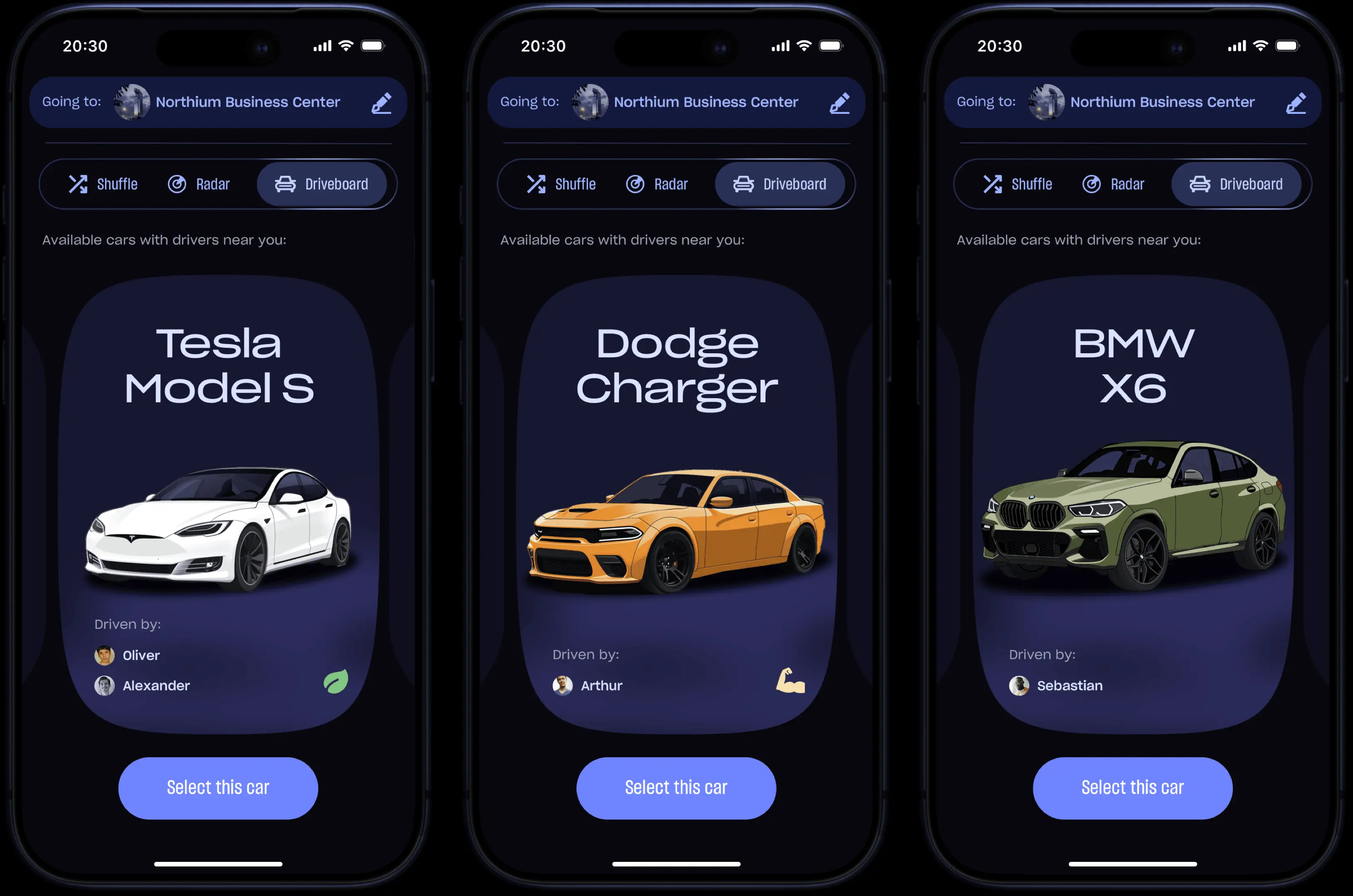
When more than one driver operates the same model, all available options appear under the vehicle. Selection happens in two steps: first the car, then the driver.
5.3 Driver Details
In Shuffle mode, while the first screen shows only the essentials (photo, ETA, and rating), swiping down on a driver will reveal the second screen - a detailed mini profile with deeper insights into both the car specifications and the driver's personality.
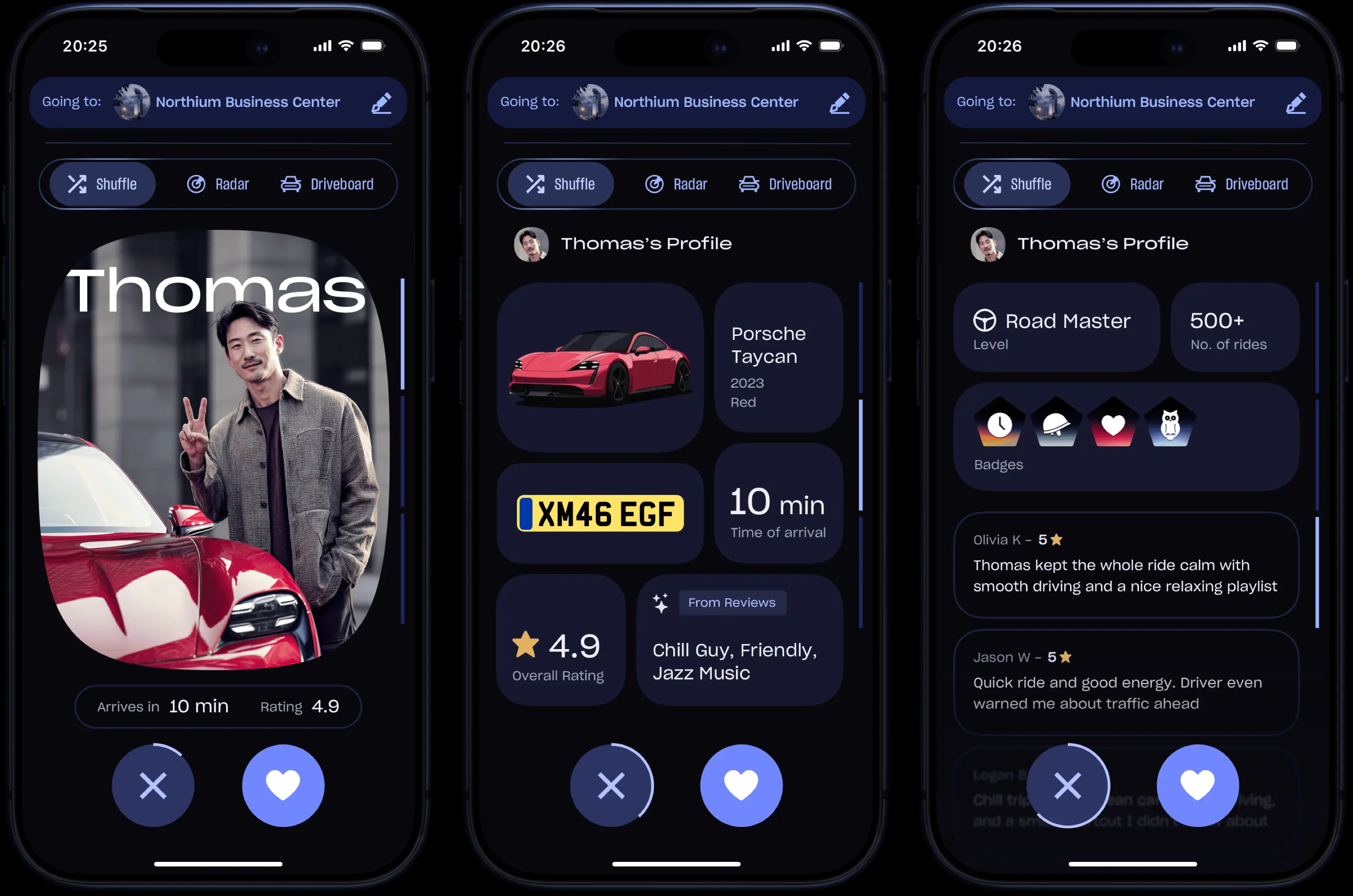
Swiping down again brings up the third screen, dedicated to social proof. This one highlights the driver's level and badges, also featuring an endless scroll of real passenger reviews.
A persistent timer at the bottom creates a sense of urgency, while the Love and Reject buttons remain accessible at all times for instant action.
└ Gamification
In order to increase engagement, the app incorporates gamification for both drivers and passengers. Gamification is divided into three core elements: Levels, Badges, and Rating.

For drivers, there are four Levels unlocked progressively, based on the number of completed rides, serving as a clear indicator of the driver's experience.
Twelve Badges are available, each unlocked through specific achievements. In the Badge Details screen, visitors can see the exact action required to unlock it, but also its rarity level.
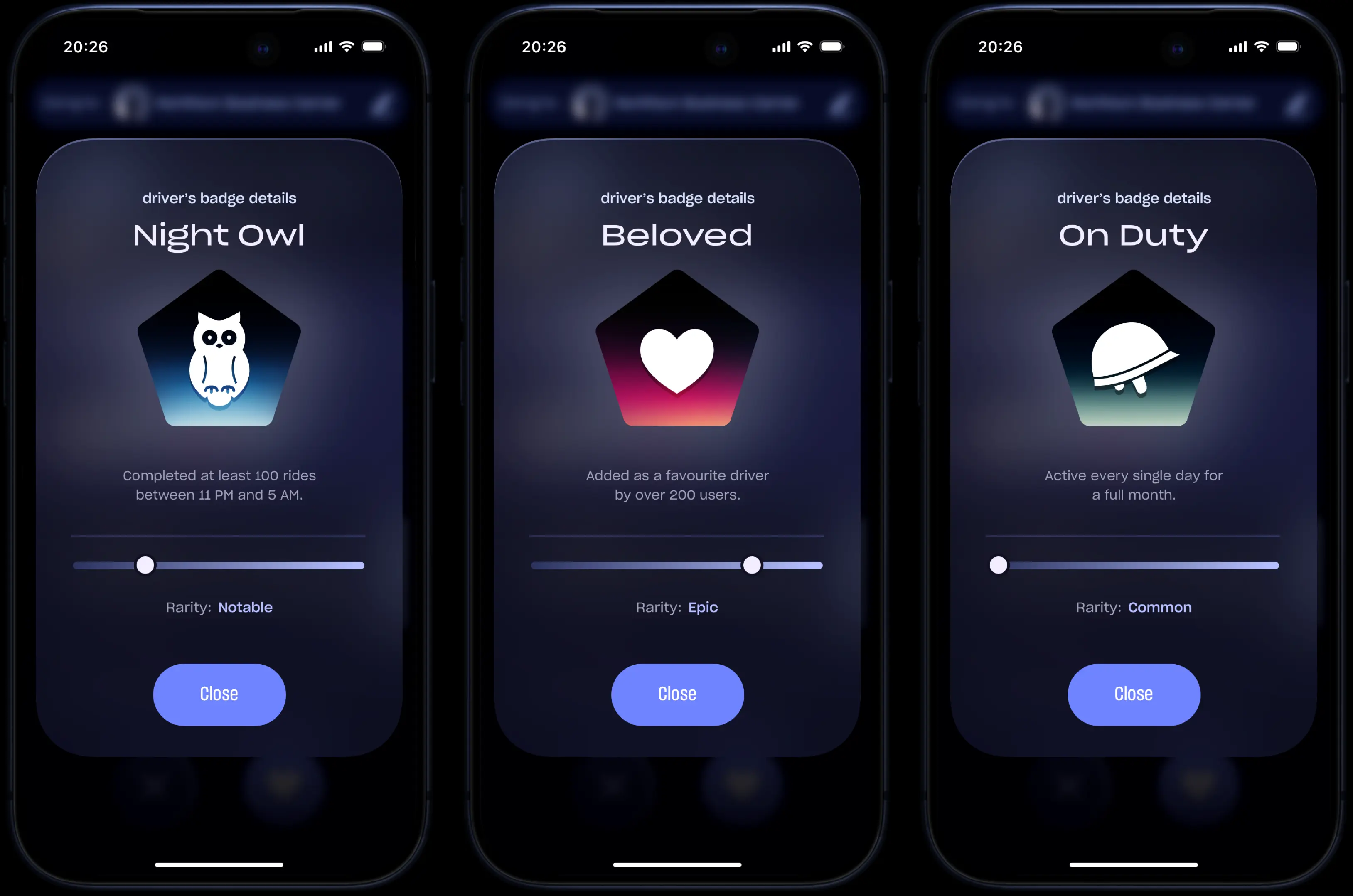

To complement these, the driver's Rating is based solely on passenger reviews. Together, (Levels, Badges, and Rating) give riders a clear and complete understanding of each driver's quality, reliability, experience, and commitment.
06
Going for a Ride
6.1 Waiting for Pickup
Once a driver is selected, the trip is automatically accepted. With this app, there is no concept of "not accepting a ride". Just to prevent unwanted trips, drivers can simply set pre-ride filters (like a minimum passenger rating or a minimum distance) in advance, but nothing more.
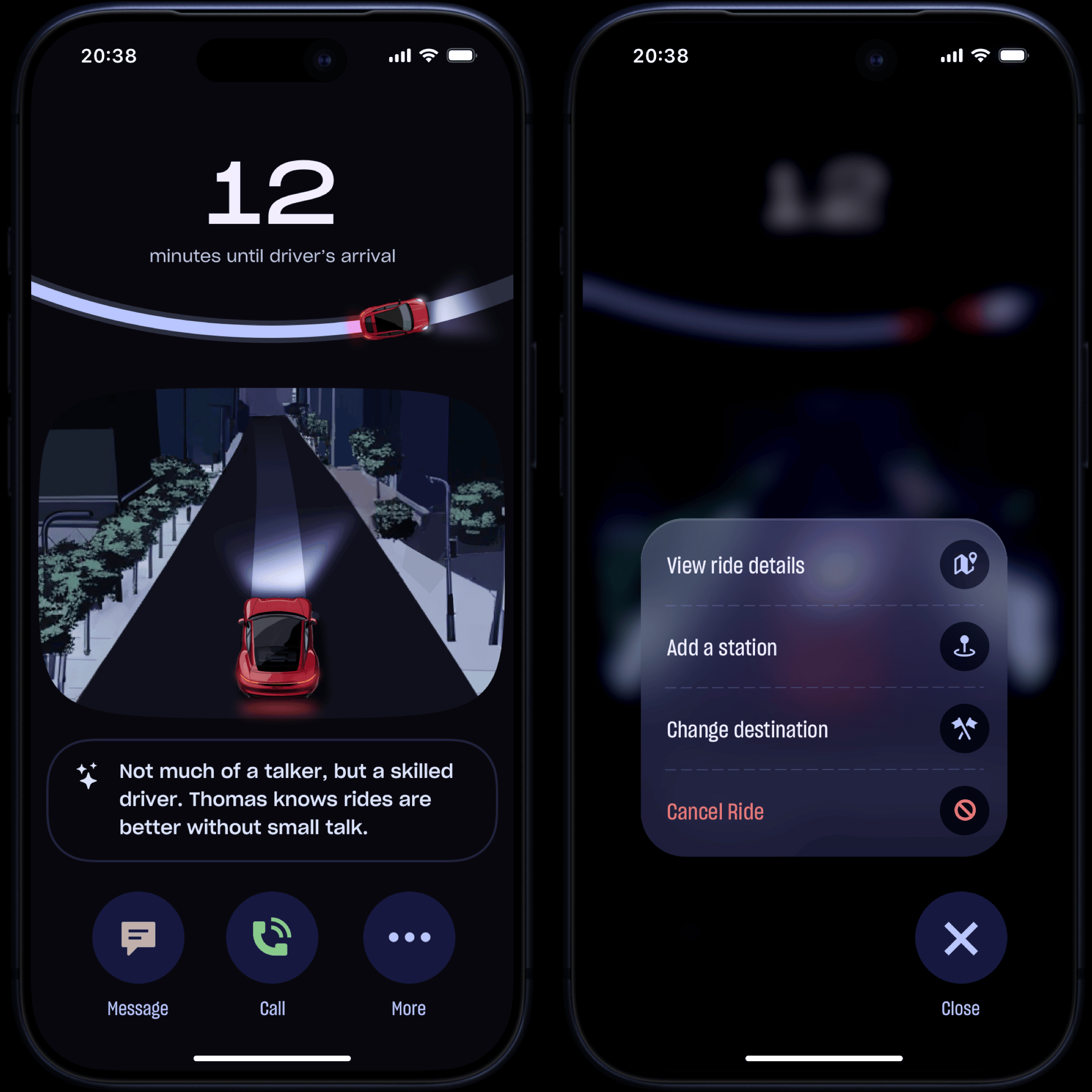
The waiting screen was designed to be as engaging and informative as possible. A large timer displays the ETA, followed by a progress bar showing the driver's approach to the pickup point.
Instead of a traditional 2D map, users can track the driver in an immersive 3D view powered by 3D mapping. The displayed car is a faithful graphical representation of the actual vehicle model and color, helping users easily identify it upon arrival.
Below this, AI-generated mini summaries based on previous passenger reviews provide quick insights about the driver. At the very bottom, the primary buttons for calling, messaging and additional actions, remain visible all the time, for quick access.
6.2 Driver's Arrival
Once the driver arrives, the map automatically switches to a top-down 2D view, helping users clearly see their position relative to the driver and locate each other easily.
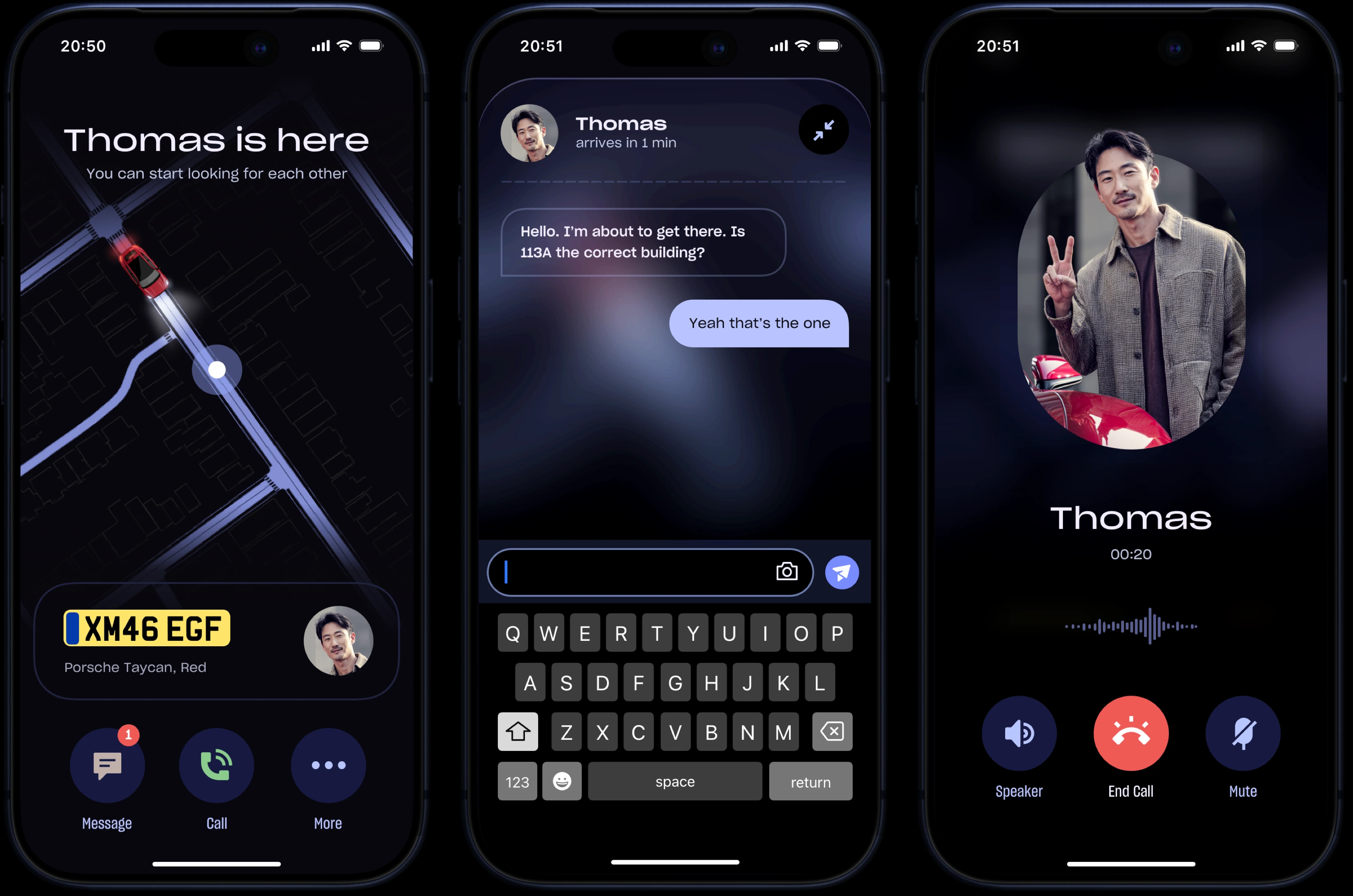
Essential information like license plate and driver's photo remain prominently displayed at all times, allowing instant recognition without any additional actions. Messaging and calling options stay accessible, with the added ability to send photos to guide the driver if needed.
6.3 Cruising
As the user enters the vehicle and the ride begins, the screen updates to display the live route and the path the driver must follow.
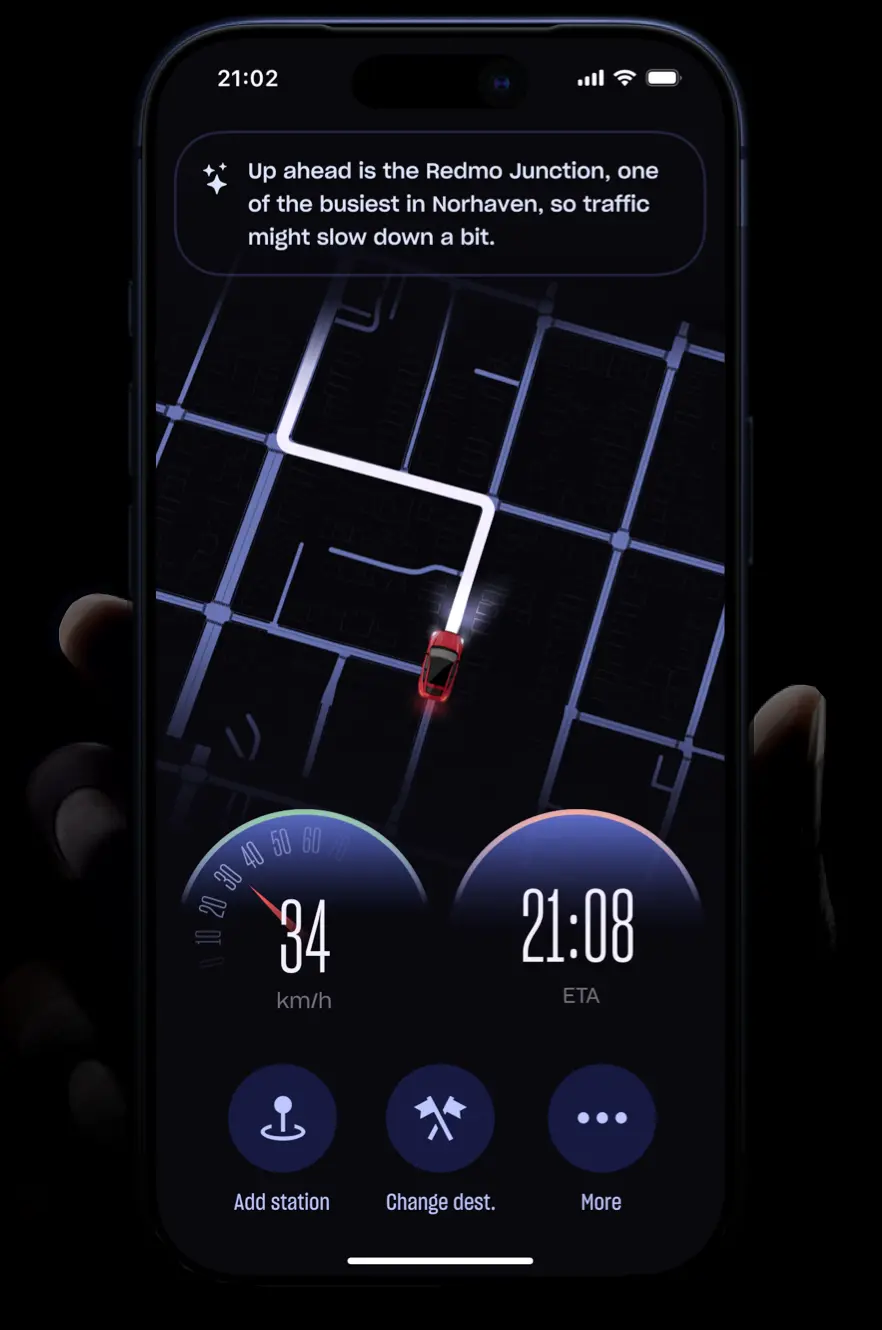
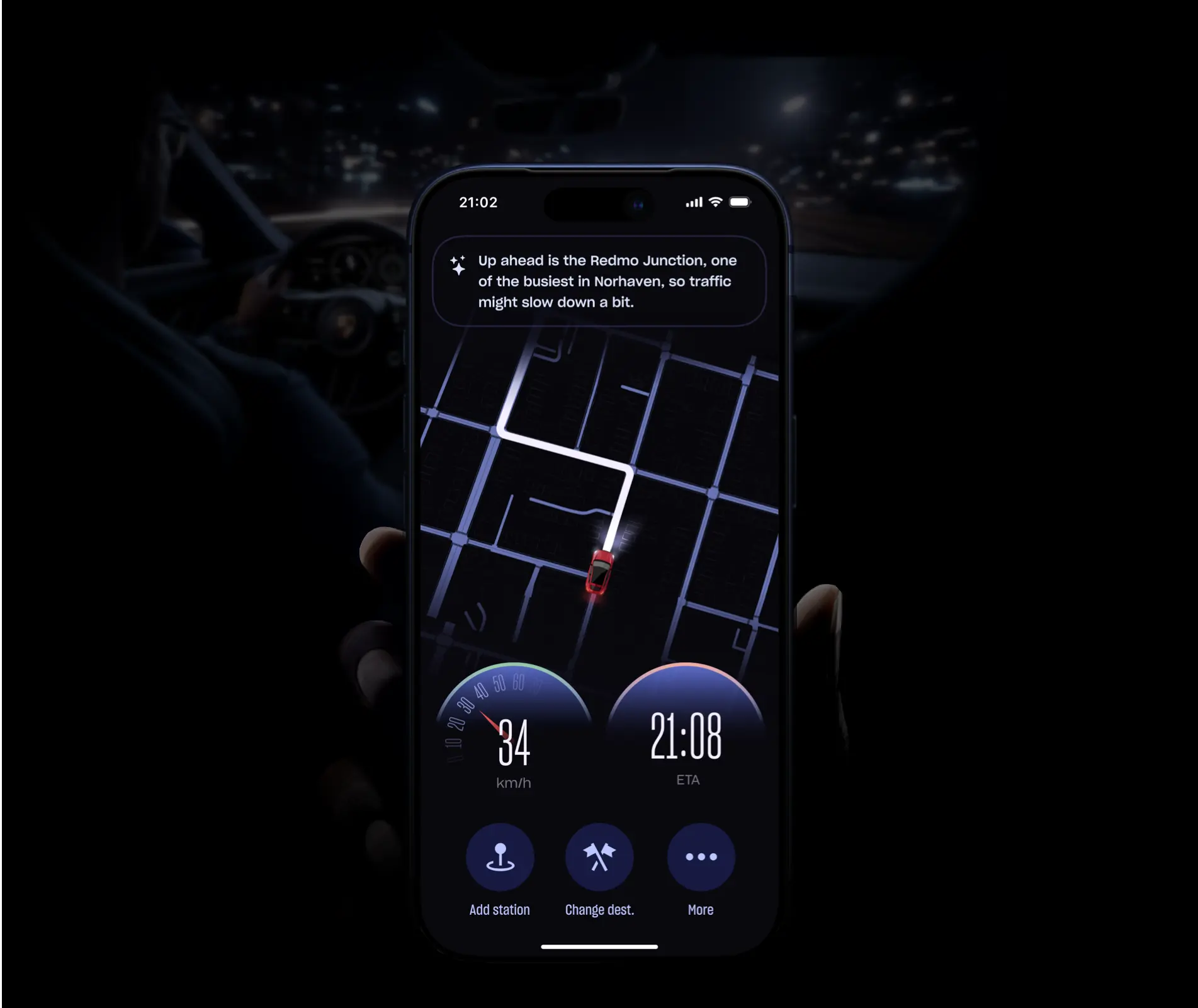
The bottom section shows real-time vehicle speed based on GPS data, along with an updated ETA that adjusts dynamically according to traffic conditions.
At the very top, AI provides smart contextual notes about the traffic situation to keep the user better informed.
6.4 Dropped Off
After arriving at the destination, passengers are actively encouraged to leave a rating and a short review. These contributions are later used to generate a personalized Memory Lane (detailed in a later section).
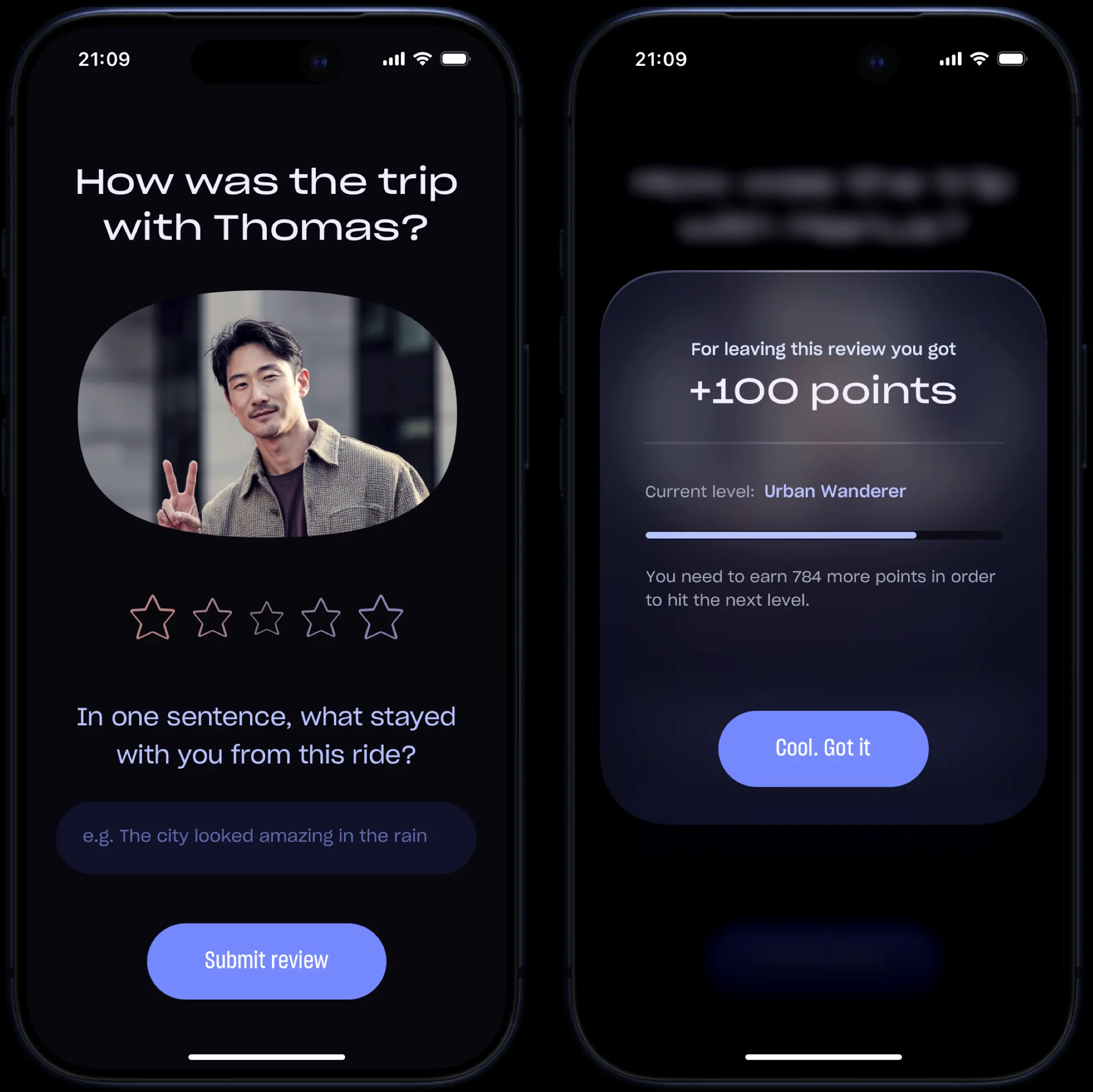
This is one of the most valuable moments, as it captures the user's emotions right after the ride. By completing it, they also earn points that help them unlock higher levels.
07
Your Profile
7.1 Overview
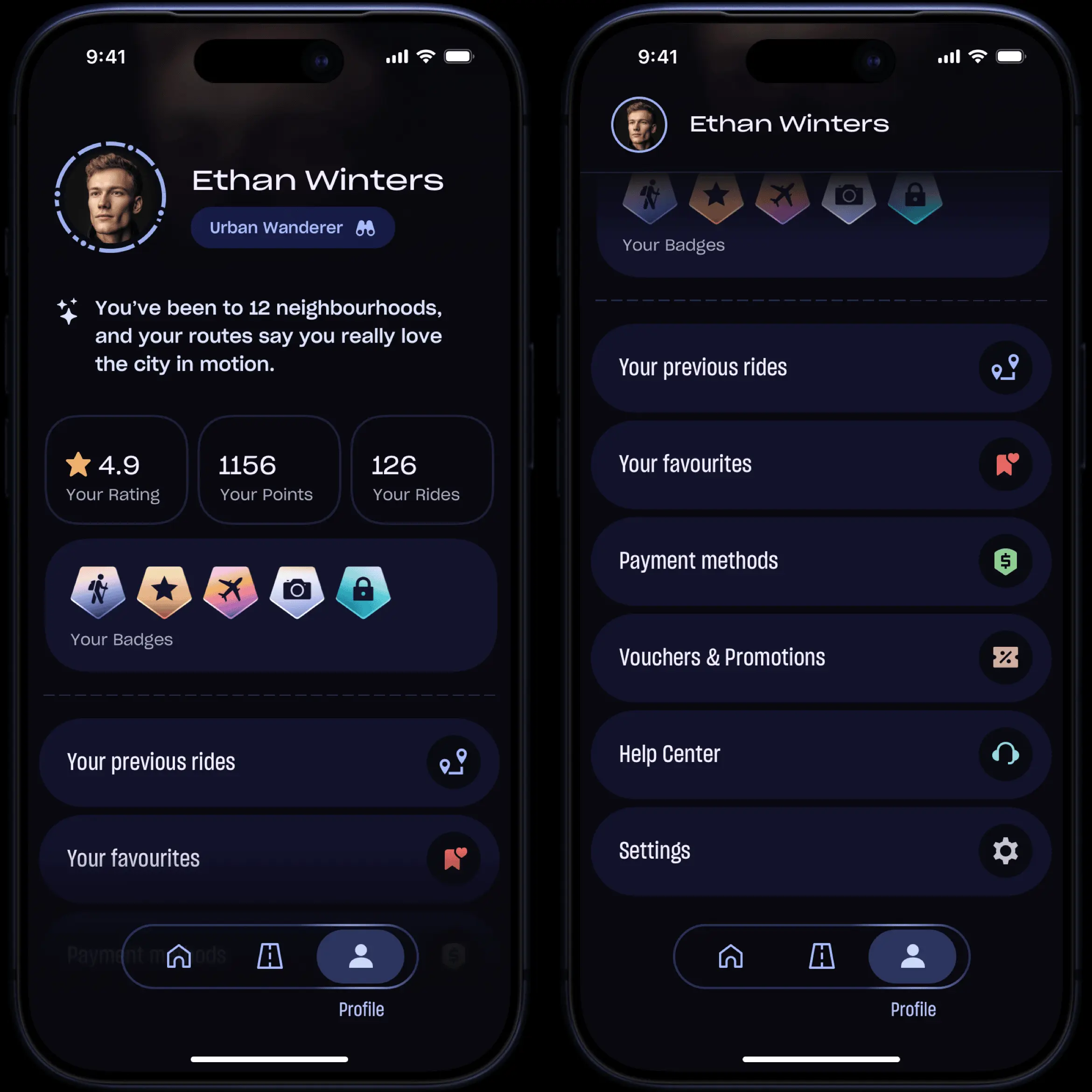
The Profile page serves as the central hub where people can track their activity. It is smartly divided into three parts, allowing all key information to be visible on a single screen.
The first part presents essential user information and current level. A colored ring around the profile picture indicates the presence of available stories. Below, the AI generates a short personalized summary of the user's behavior and riding preferences.
The second part is dedicated entirely to gamification, displaying the rider's rating, total points earned, overall number of rides taken, and a list of all earned badges.
Third one contains a thoughtfully organized list of all secondary app sections, including Previous Rides, Help Center, Settings, and any other actions the user may need.
└ Gamification
Similar to the driver side, passenger gamification is structured around three core elements: Rating, Levels, and Badges. Here, there are four Levels, which users progress through by earning points (mainly by leaving reviews and completing a higher number of rides).

Twelve badges are available, unlocked through specific actions. Tapping on any badge opens the Badge Details screen showing the exact requirement to unlock it, and its rarity level.
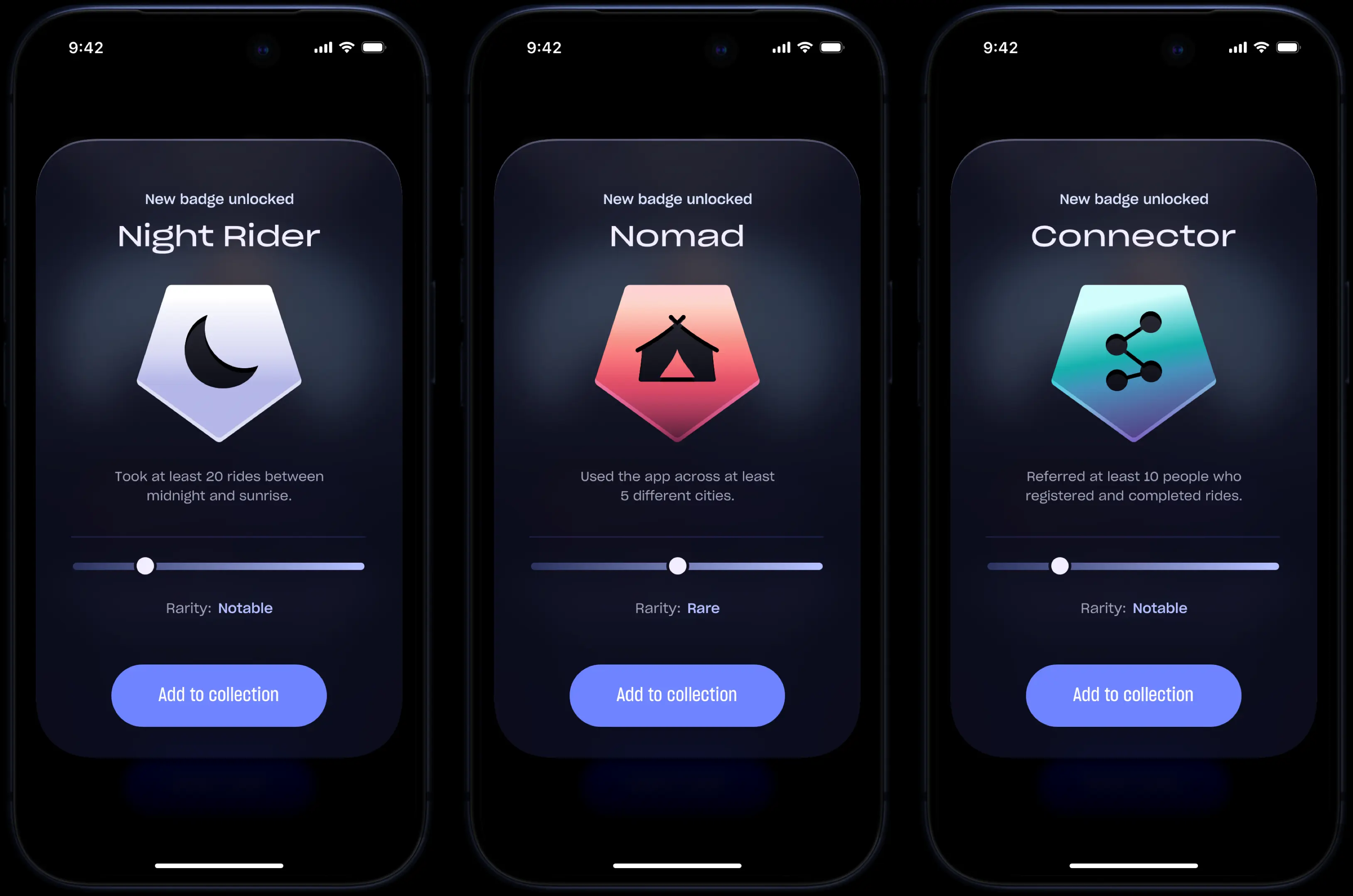

The passenger's rating is calculated exclusively based on reviews received from drivers, reflecting their behavior and reliability as a passenger.
└ Your Journey
Your Journey is a visually engaging collage inspired by popular yearly recap formats. But unlike other annual summaries, this section is available at any time and updates continuously.
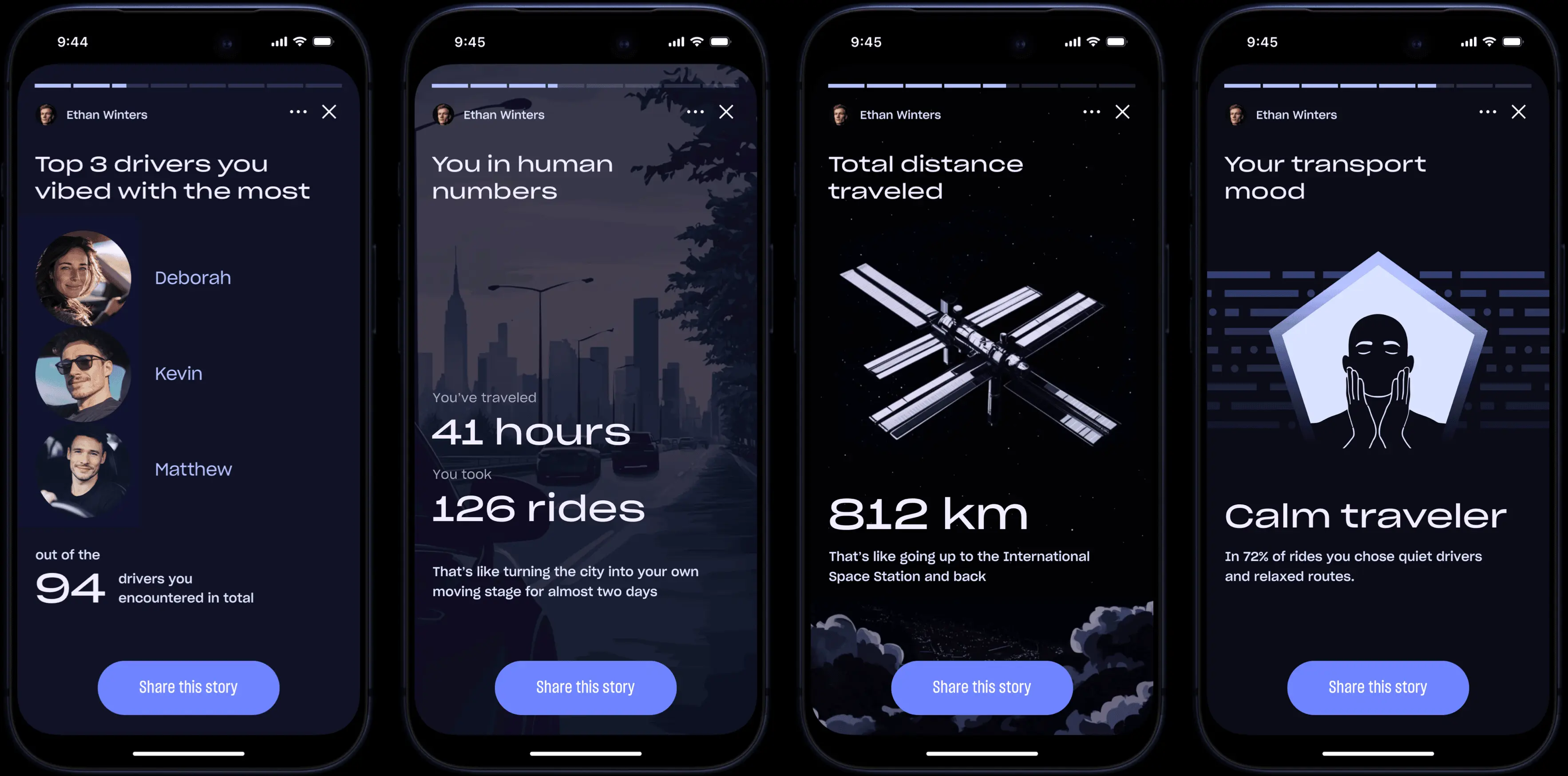
Its main goal is to transform raw statistics into an attractive and meaningful experience, allowing users to discover their riding patterns, habits, and milestones in an immersive way.
7.2 Previous Rides
Previous Rides allows passengers to access and review all past rides through multiple methods. They can browse rides using an integrated calendar view or search by describing the trip in natural language.
Users can simply describe a ride even with vague or partial memories, and the AI will automatically detect and retrieve the relevant trip.
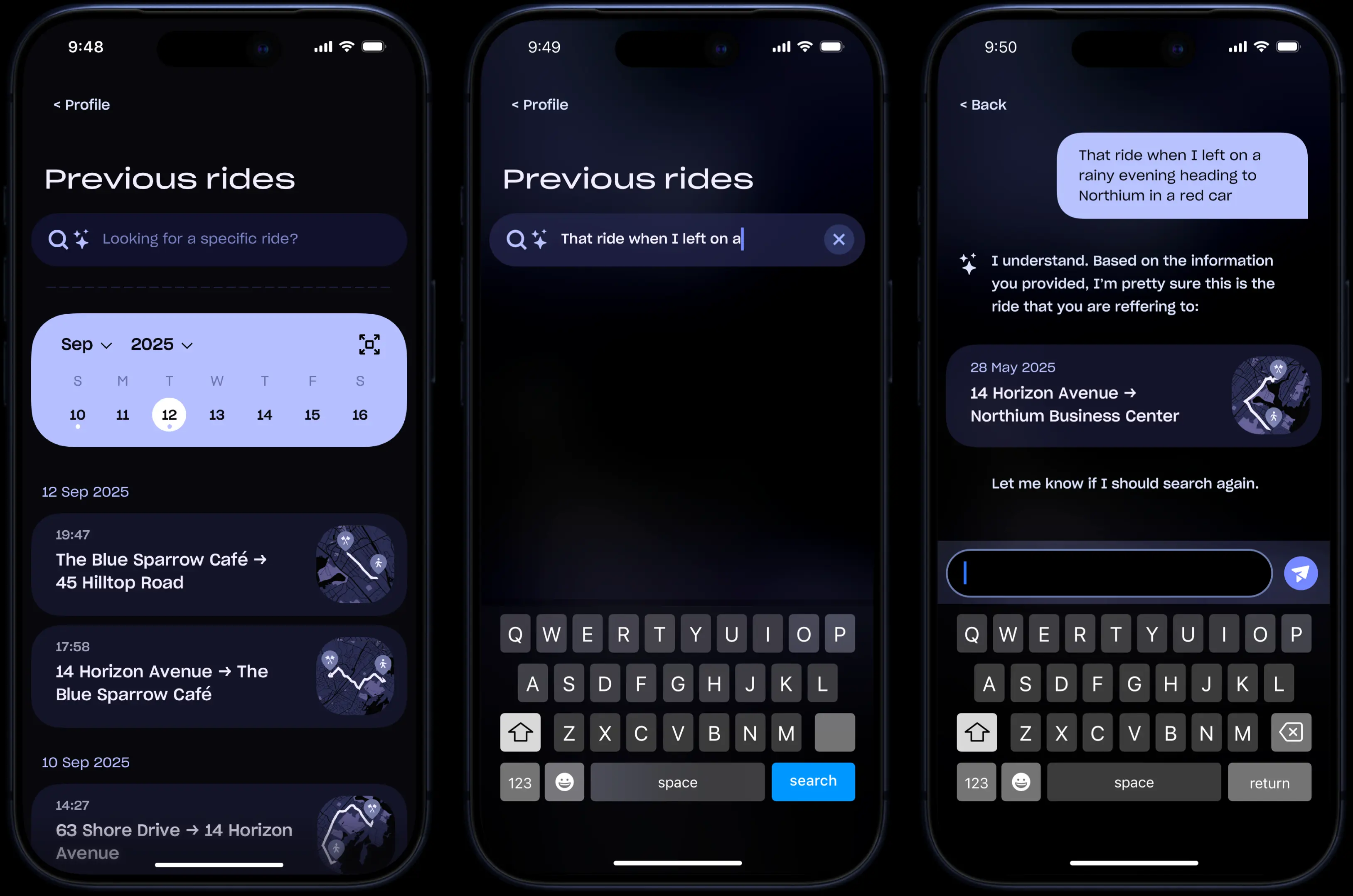
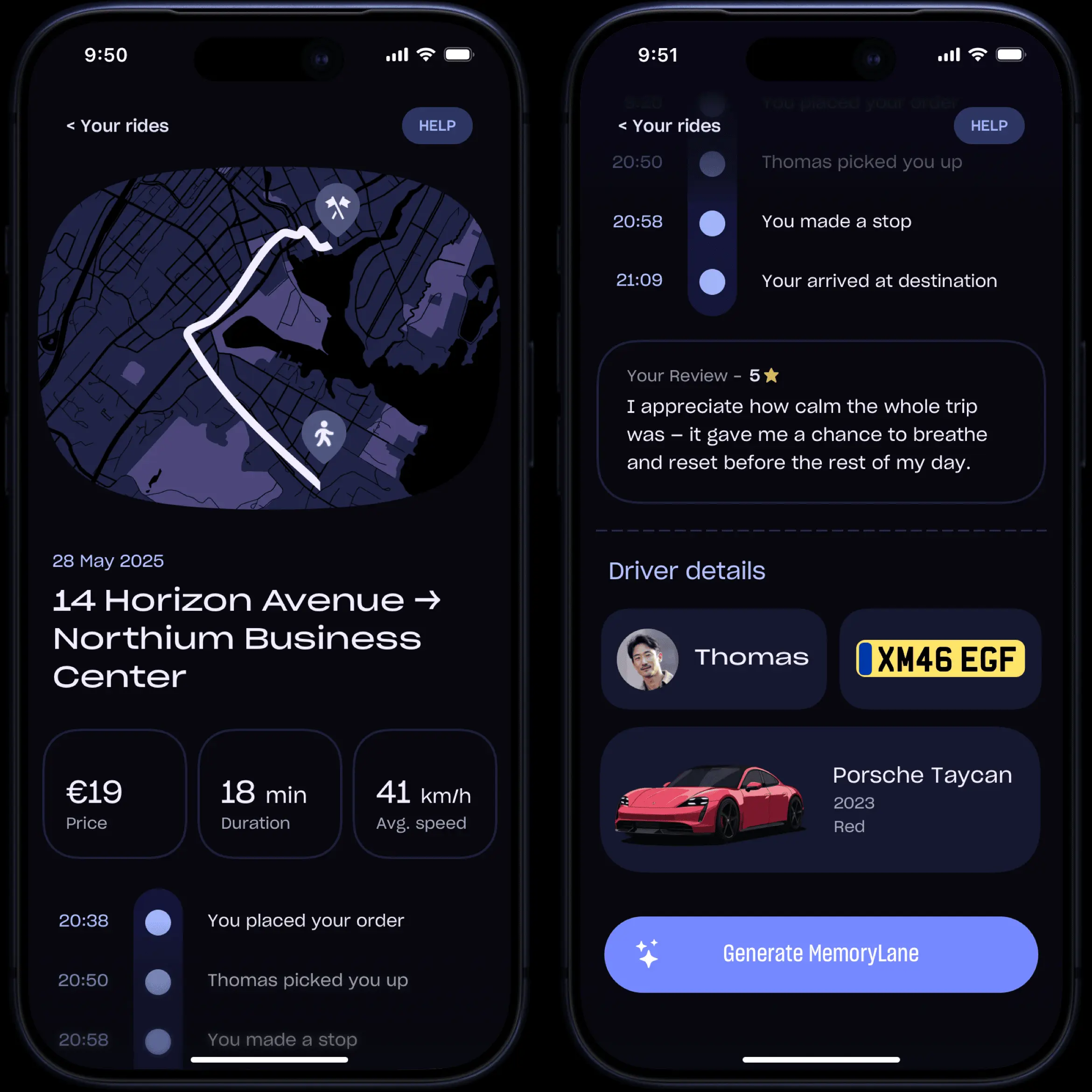
Once a past ride is selected, all details are presented in a clean and logically structured layout, which includes the full itinerary with timings, driver information, ride specifics, and the review left by the rider.
7.3 Your Favourites
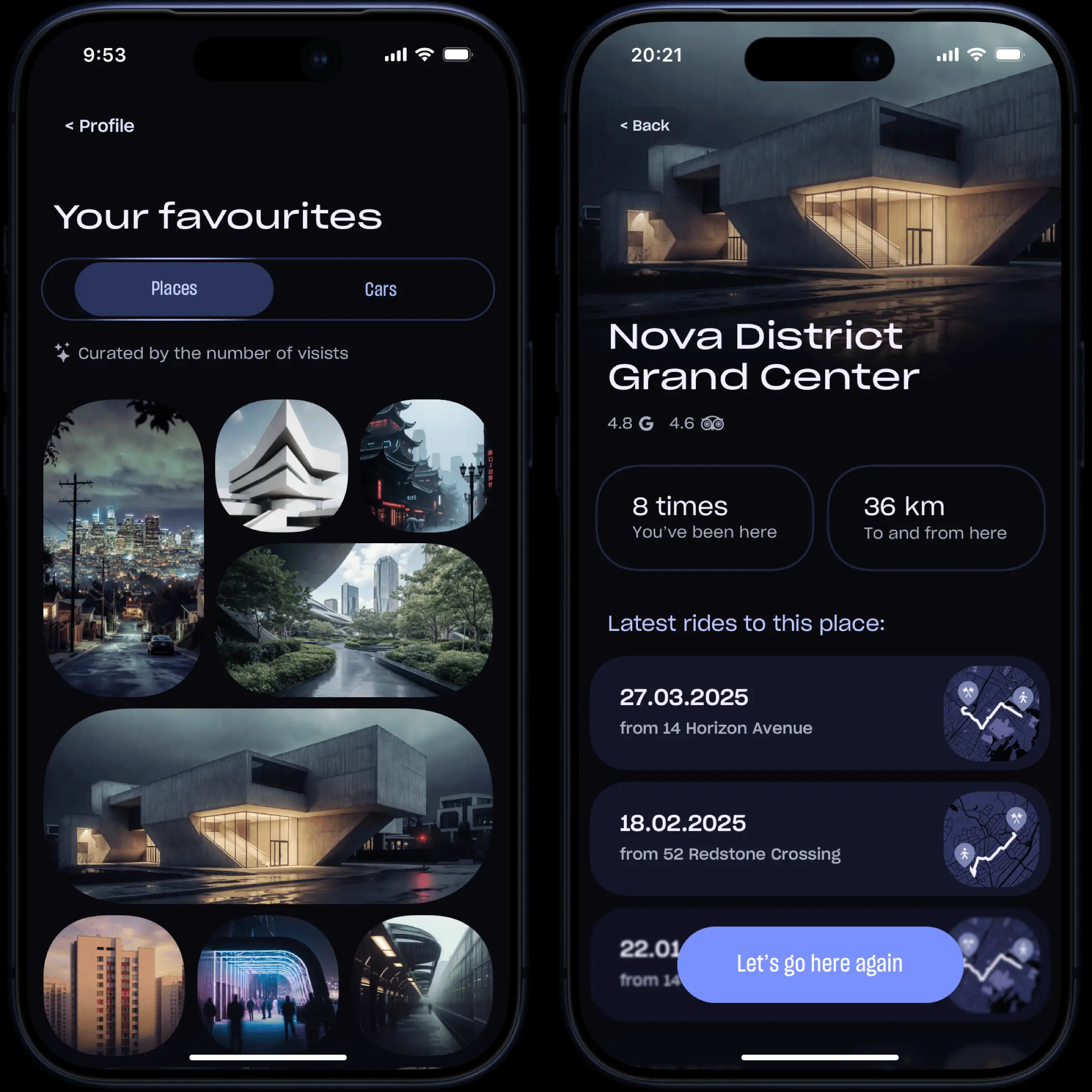
This section displays all frequently visited locations as an image collage, with pictures pulled dynamically from various public sources. It is curated automatically, based on the number of visits for each location.
Tapping on any place opens a detailed page showing key information, along with personal statistics: how many times the user has traveled to or from that location, the total distance covered, and a complete list of all rides connected to it.
7.4 Settings
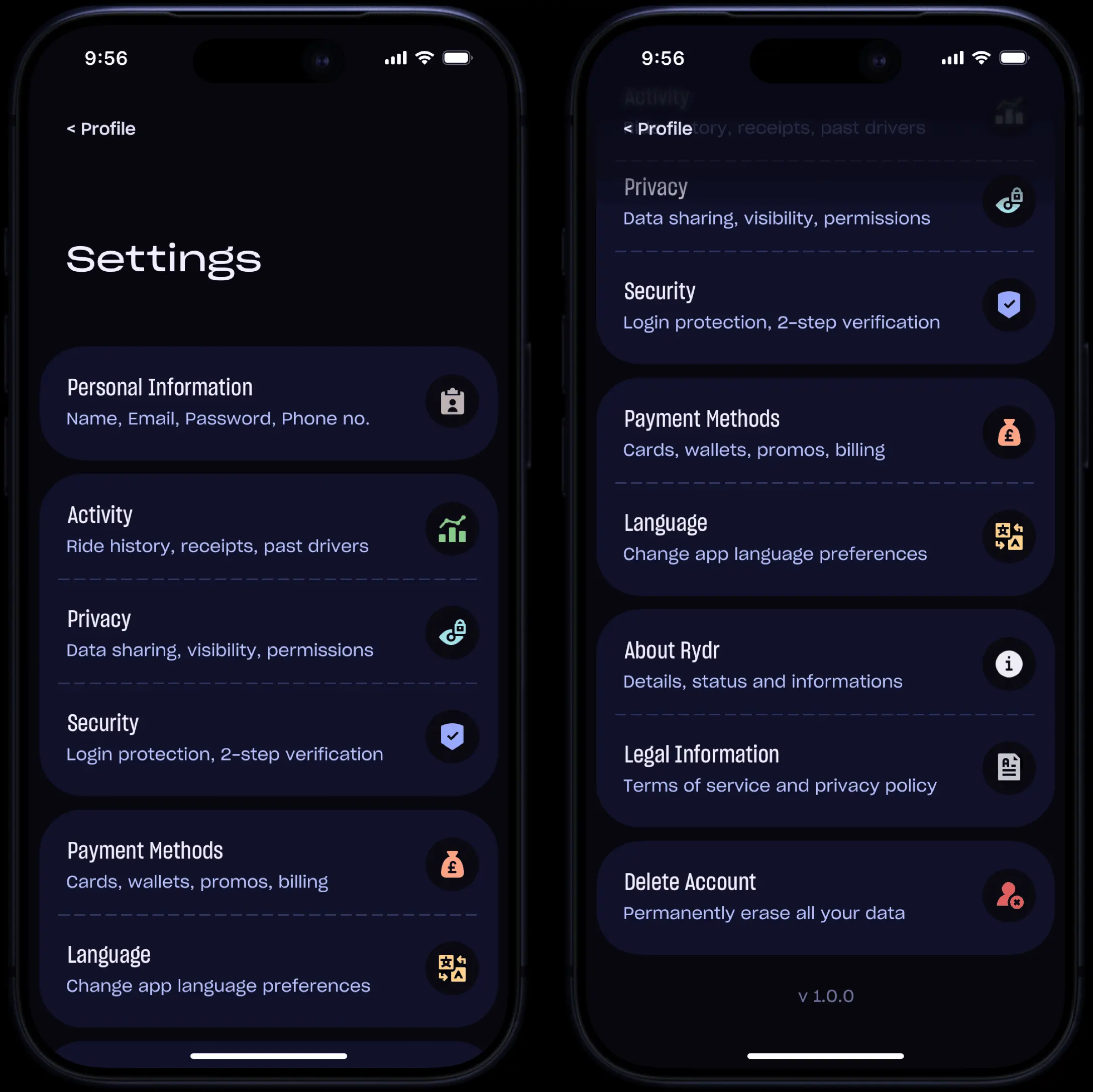
The Settings section is organized in a logical way, thus giving users access to all necessary configurations related to their profile and the overall functioning of the app.
7.5 Help Center
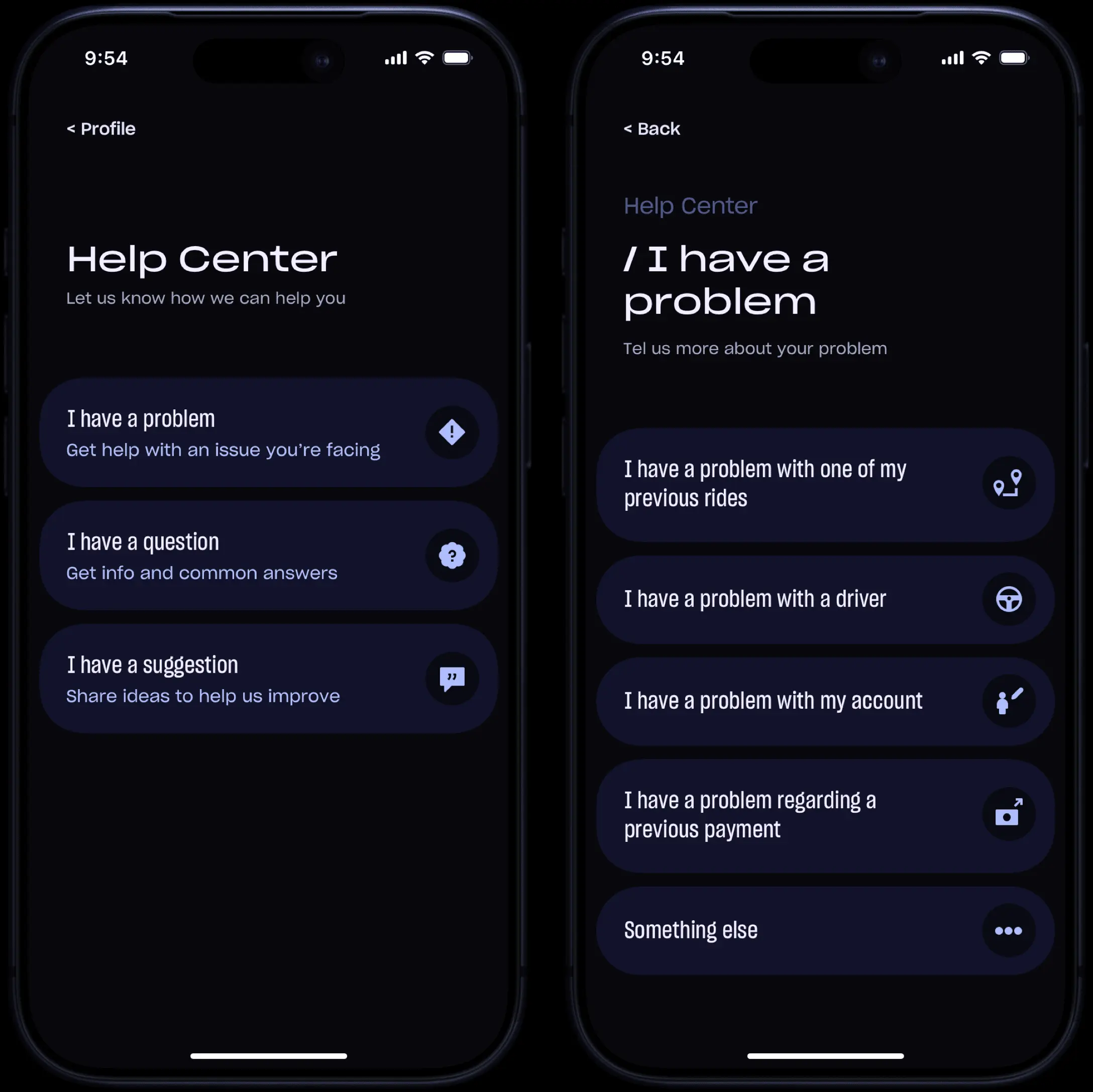
Unlike many other ride sharing apps where the Help Center is often confusing and difficult to navigate, this section was designed with a clear focus on simplicity.
Following Hick's Law, the number of choices has been reduced to three. Complex scenarios were broken down into smaller, progressive steps to reduce cognitive load and prevent users from feeling overwhelmed.
08
Memory Lanes
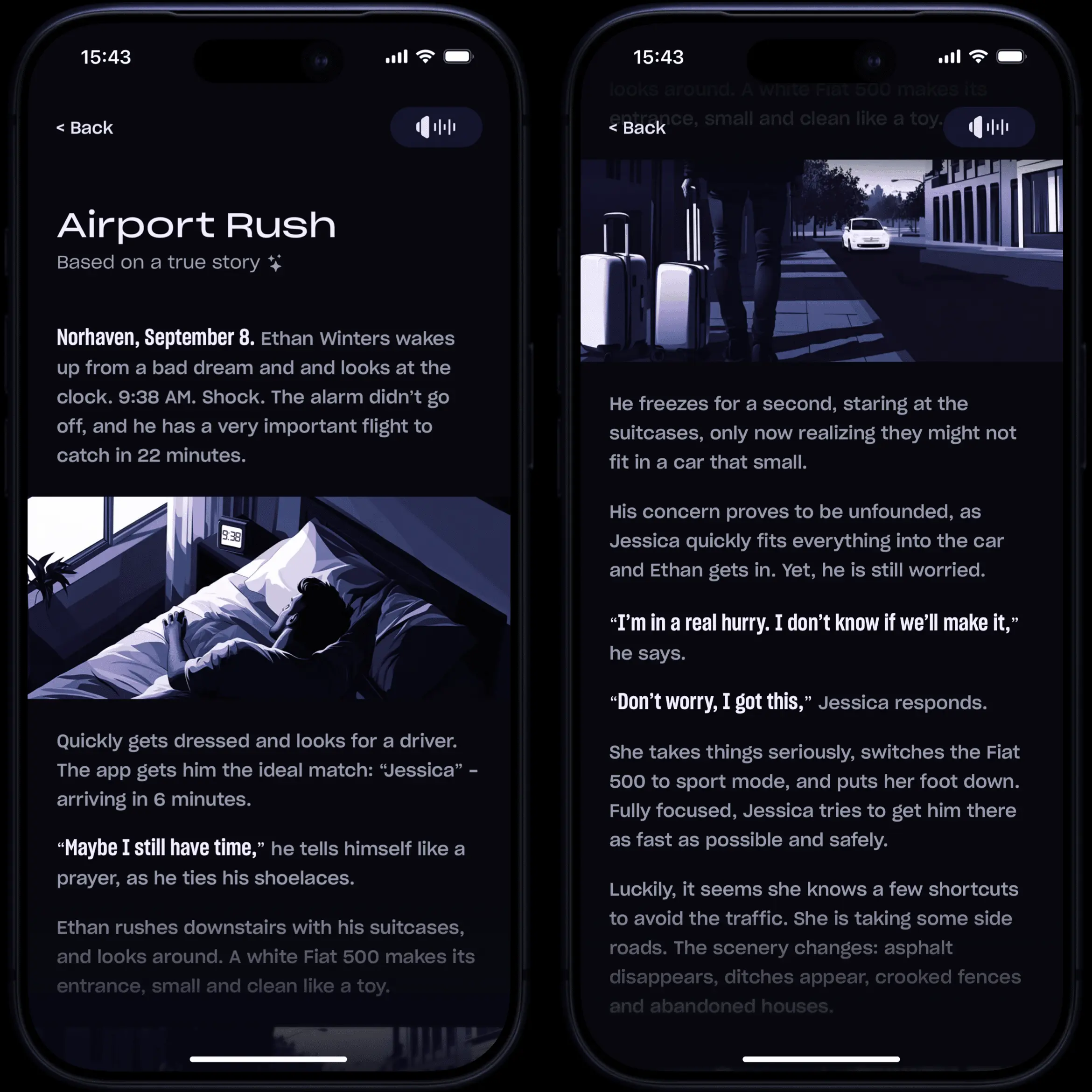
Memory Lanes are AI-generated visual stories created from the details of each ride. The system analyzes and combines multiple data points (such as the route, weather, timing, and contextual information) to construct a cohesive and personalized narrative.
User review carries the most weight in shaping the narrative, while several other factors also contribute to the final result.
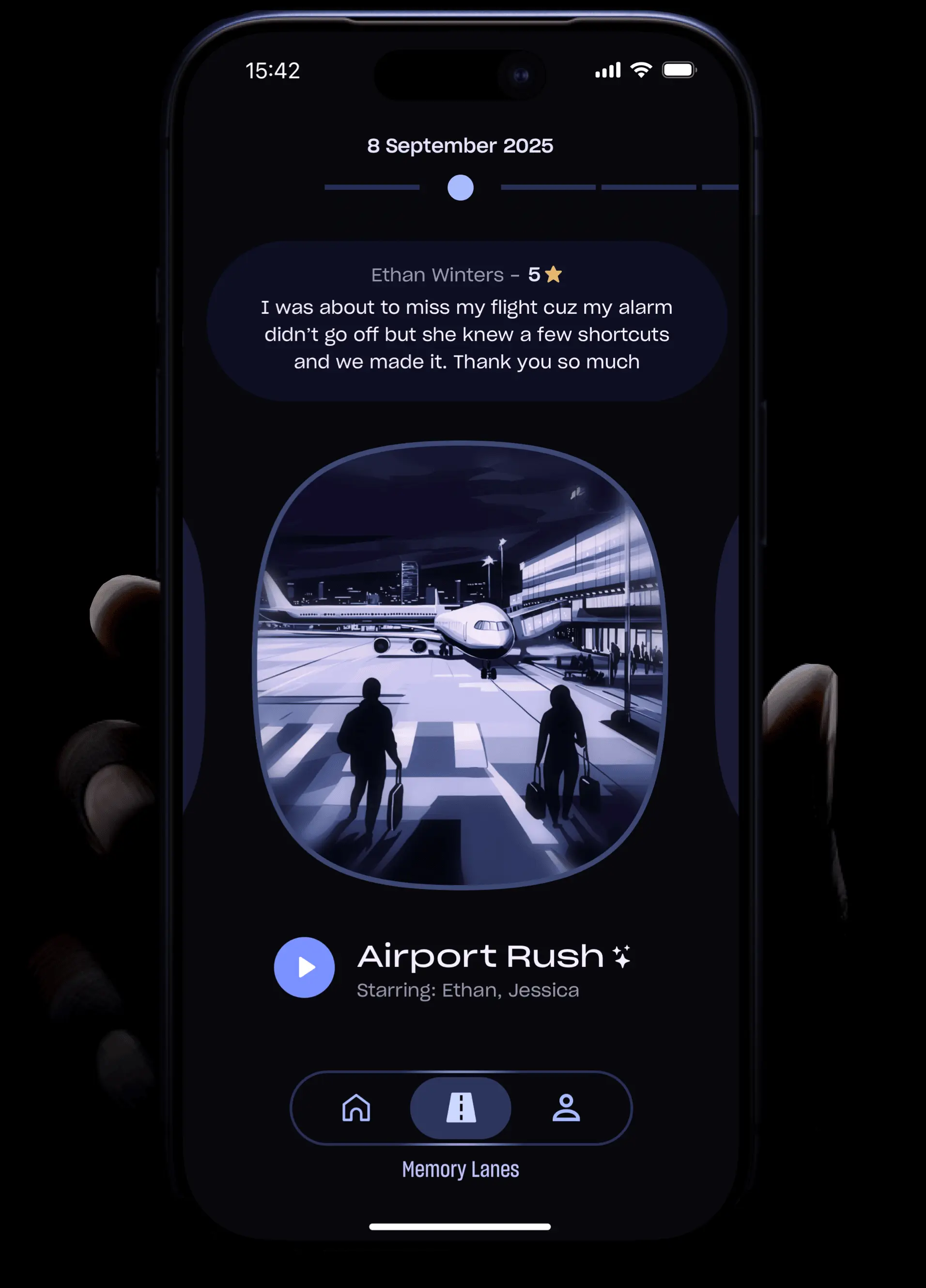
The entire process is completely hands-free. No photos or videos are required. After each ride, passengers can simply tap “Generate Memory Lane”, and from that point on, the story is generated automatically, based just on the existing data:
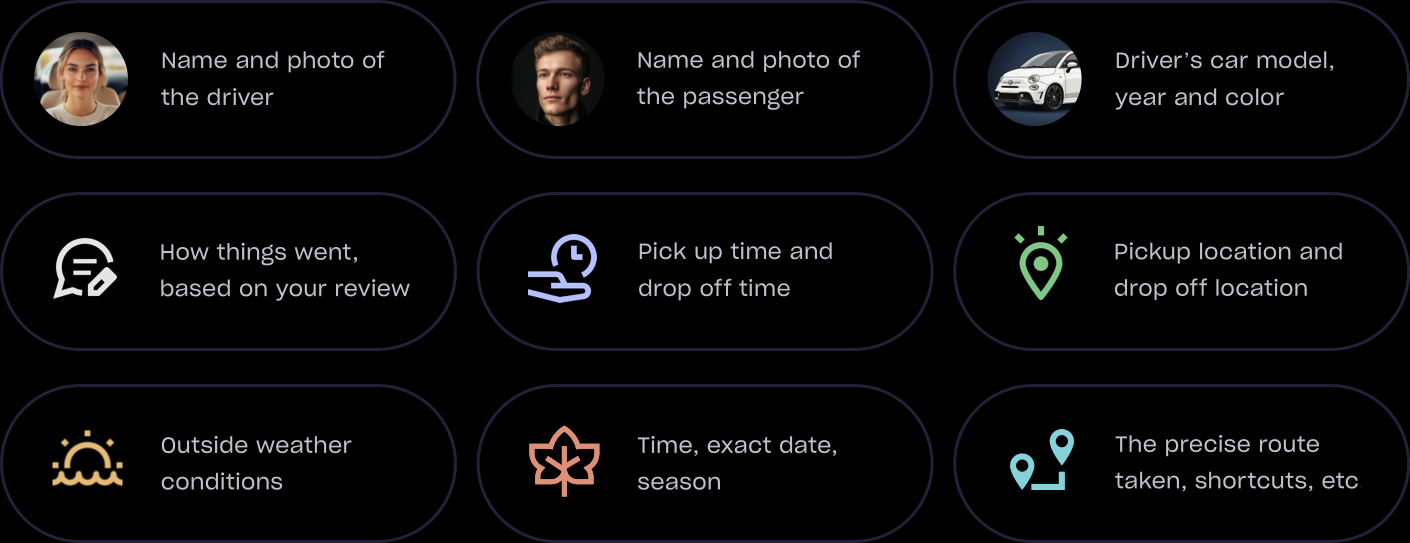
All elements will remain consistent with the original to ensure everything feels authentic and grounded in reality. The vehicle remains the same, the route matches the actual trip, the narrative follows a logical sequence.
Ultimately, each ride can become part of a growing personal collection of memories. The system faithfully captures the atmosphere and emotional essence of every trip, transforming it into an enticing visual narrative in a comic-style format. The stories can be revisited or shared at any time.
09
Conclusion
Rydr was built on a simple idea: transforming ordinary rides into personalized experiences. By offering users conscious choice through Shuffle, Radar, and Driveboard, and by turning everyday rides into engaging stories with Memory Lanes, the app elevates point-to-point travel into a journey worth remembering.
Passengers are no longer passive, but active participants who shape their own experience. They don't return to Rydr only because it's convenient, but because each ride feels personal and fun. At the same time, drivers are motivated to deliver better service in a system that recognizes and rewards their efforts.
Ultimately, Rydr proves that technology doesn't have to strip humanity from everyday interactions. By blending functionality with emotion, it shows that even a simple ride can become a pleasant and memorable journey.